Manage Multiple WordPress Sites with One n8n Dashboard
A practical architecture for managing multiple WordPress sites from one n8n dashboard: site registry, REST API auth, health checks, update jobs, and guardrails.

Last Updated on September 13, 2026 by Triumphoid Team
⚡ TL;DR
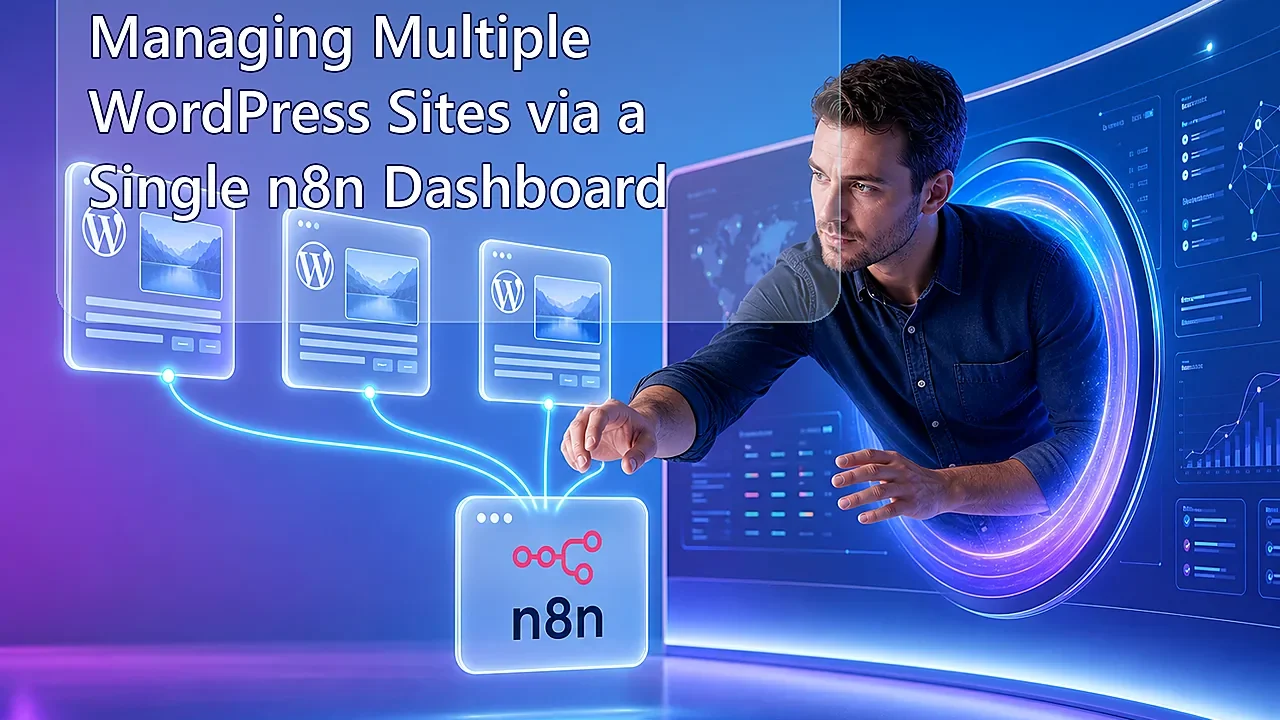
If you need to manage multiple wordpress sites without logging into five dashboards and slowly losing the will to live, the clean architecture is a single “Master” n8n instance that talks to every WordPress site through the WordPress REST API. The master instance stores credentials per site, pushes updates like post changes or metadata refreshes, and pulls health checks like plugin state, homepage status, content freshness, and API reachability on a schedule. In plain English: one control plane, many WordPress installs. That setup is far better than plugin-heavy multisite fantasies when your sites are separate installs, separate brands, or separate clients. n8n becomes the orchestration layer. WordPress stays the content system. Everyone stays in their lane.
The wrong way to manage multiple WordPress sites is also the traditional way.
You keep twenty browser tabs open, six admin logins half-expired, three spreadsheets pretending to be an ops dashboard, and some vague memory of which site had that plugin issue last Thursday. That is not management. That is browser-based archaeology.
The better way is to treat your WordPress fleet like a distributed system. Each site exposes data and accepts updates through its API. One central automation instance reads from all of them, writes to all of them, and surfaces problems in a unified operational dashboard. That is what a Master n8n instance is for. Not because the phrase sounds elegant, but because central orchestration is how adult infrastructure behaves.
What manage multiple wordpress sites actually means
To manage multiple wordpress sites in the modern operational sense means monitoring, updating, and coordinating several separate WordPress installs from a central control layer instead of treating each site as its own isolated little kingdom. In this architecture, WordPress remains the system of record for each site, while the master workflow layer handles aggregation, health visibility, and bulk actions.
The key phrase there is separate installs. This is not about WordPress Multisite. It is about independent WordPress properties that still need one operational brain above them.
The short framework
| Layer | What it does | Why it matters |
|---|---|---|
| Master n8n instance | Runs central workflows, dashboards, alerts, and batch jobs | Creates one control plane for the whole WordPress fleet |
| Per-site WordPress REST API | Exposes posts, users, taxonomies, media, and custom routes | Lets the master instance read and write site data safely |
| Per-site credentials | Usually Application Passwords or other authenticated API access | Keeps access scoped and revocable per site |
| Health-check workflows | Ping endpoints, test content freshness, detect failures | Turns random breakage into visible operational signals |
| Push workflows | Update content, metadata, settings, or downstream actions | Makes the master instance useful, not just observant |
This is the mental shift: you are not “connecting some sites.” You are designing a control plane for a distributed WordPress environment.
Why a master n8n instance is the right control layer
Because n8n is good at orchestration, not just integration. That distinction matters.
n8n’s HTTP Request node is already designed for arbitrary API work, which makes it ideal for WordPress fleets because no two sites stay identical for long. One site might need post updates. Another needs category checks. Another exposes a custom endpoint. Another needs health status from a plugin-specific route. A rigid connector model starts falling apart there. A generic orchestration layer does not.
And if your fleet grows, n8n’s own scaling docs already frame the platform as something you can run in more production-grade patterns when needed. That matters because the “master dashboard” idea stops being a toy very quickly once real client sites or revenue sites are involved.
The architectural blueprint
                  ┌──────────────────────────────┐
                  │      Master n8n Instance     │
                  │  Dashboard / Scheduler /     │
                  │  Alerts / Bulk Actions / QA  │
                  └──────────────┬───────────────┘
                                 │
              ┌──────────────────┼──────────────────┐
              │                  │                  │
              ▼                  ▼                  ▼
   ┌────────────────┐  ┌────────────────┐  ┌────────────────┐
   │ WordPress Site A │  │ WordPress Site B │  │ WordPress Site C │
   │ REST API         │  │ REST API         │  │ REST API         │
   │ Posts / Users /  │  │ Posts / Users /  │  │ Posts / Users /  │
   │ Custom Routes    │  │ Custom Routes    │  │ Custom Routes    │
   └────────────────┘  └────────────────┘  └────────────────┘

Master n8n duties:
- Pull health checks
- Read content freshness
- Push updates
- Trigger alerts
- Run scheduled audits
- Store fleet-wide status
This is the clean version. One master orchestration hub. Multiple remote WordPress nodes. Clear push and pull responsibilities. No pretending that a shared password and a bookmarks folder count as platform strategy.
How the master instance should authenticate
Use separate credentials per site. Full stop.
WordPress exposes Application Passwords specifically for authenticated REST access, and they are a very practical fit for this pattern. They are tied to specific users, revocable, and much cleaner than reusing a human admin password across multiple sites like it is still 2014.
Each site should have its own API user or at least its own app password. That way the master instance can lose access to one site without compromising the whole fleet. Central control should not mean centralized recklessness.
What the master dashboard should actually monitor
If your “dashboard” is just a list of site names and green dots, you built wallpaper.
The dashboard should surface signals that matter operationally:
| Signal | How the master instance gets it | Why it matters |
|---|---|---|
| API reachability | HTTP request to a REST endpoint | Tells you whether the site is even responding as a manageable node |
| Latest published post date | Posts endpoint query | Shows content freshness or stalled publishing |
| User count / author availability | Users endpoint | Useful for editorial fleet management |
| Category / taxonomy drift | Categories endpoint | Helps detect structural inconsistency across sites |
| Homepage status / final URL | HTTP request | Catches redirects, failures, or obvious frontend issues |
| Custom site health payload | Optional custom route or plugin endpoint | Lets you monitor plugin state, version, or internal flags |
Those are real operational indicators. Everything else is just dashboard cosmetics until proven otherwise.
How the master instance pushes updates
This is where the system becomes useful instead of just watchful.
Because WordPress exposes posts, categories, and users through REST, the master instance can do more than just observe. It can push updates across the fleet. That might mean updating a disclaimer block on ten sites, refreshing a shared author bio, injecting metadata, changing taxonomy assignments, or triggering downstream workflows after content changes. The posts endpoint already supports content updates, which makes distributed content operations much more feasible than people think.
The clean rule is this: the master instance should push only what is standardized. Anything site-specific and editorially sensitive should still remain local. A master control plane is not an excuse to become a one-click chaos machine.
Health checks via WP REST API
The easy win is basic REST health polling.
A simple health workflow can loop through a site registry, call one or more endpoints on each site, measure the response, inspect the payload, and then write the results into a dashboard table, a Google Sheet, or a database. The point is not deep observability like a dedicated APM tool. The point is a practical operations layer for WordPress fleets.
Site registry row
   │
   ▼
HTTP Request → https://site-a.com/wp-json/wp/v2/posts?per_page=1
   │
   ▼
Check response code, title, date, and payload integrity
   │
   ▼
Store site status in central dashboard row
   │
   ├─ OK → mark green / update timestamp
   └─ Fail → send Slack alert / email / create incident row
That pattern is stupidly effective because it focuses on the one thing that matters first: can the site still behave like a site?
What a site registry should contain
You need one central list of managed sites. Not in your head. Not in random notes. In a real registry.
| Registry field | Why it matters |
|---|---|
| Site name | Human-readable identifier for the dashboard |
| Base URL | Target for REST and health requests |
| API username | Authentication context per site |
| Application Password or credential reference | Secure per-site access path |
| Site type | Blog, WooCommerce, lead-gen, headless backend, etc. |
| Criticality level | Lets alerts route differently for money sites vs lower-priority properties |
| Feature flags | Tells workflows which actions are allowed on which sites |
This registry is what turns a pile of URLs into a manageable fleet.
The n8n workflow design
The master setup usually wants at least three workflows, not one giant octopus workflow trying to do everything badly.
| Workflow | Job | Why it exists separately |
|---|---|---|
| Site inventory workflow | Reads the registry and stores active site definitions | Keeps the control plane clean and updatable |
| Health-check workflow | Polls all sites and records status | Should run on its own schedule and alerting rules |
| Push-update workflow | Sends standardized changes to selected sites | Needs tighter permissions and usually manual triggers or approvals |
This separation matters because the health workflow should be routine and frequent, while the push workflow should be more controlled and probably more suspicious of human enthusiasm.
What the master instance should never do
Let’s save you some future cleanup.
Do not let the master instance blindly overwrite content across all sites. Do not reuse one credential everywhere. Do not store a full fleet’s worth of plaintext secrets in a random Set node because it felt convenient. Do not confuse “centralized” with “all-powerful.” Central orchestration without guardrails is just distributed damage with nicer terminology.
What docs do not tell you
The hard part is not talking to one WordPress site. The hard part is deciding which data should be standardized across many sites and which data must stay local. That is a governance problem, not an API problem.
Health checks are only useful if they reflect site importance. A failed request on a revenue site and a failed request on a dormant side project should not carry the same alerting weight.
Per-site authentication is not optional professionalism. It is the bare minimum for a system that touches multiple independent properties.
REST is usually enough until you need custom routes. Posts, users, and categories already cover a lot. But for real fleet management, you may eventually want custom endpoints that expose plugin status, business KPIs, or operational metadata in a more controlled way.
🛠 Pro-Tip
Create a tiny per-site custom REST endpoint like /wp-json/master/v1/health that returns only the signals your control plane actually needs: WordPress version, last successful cron, active theme, critical plugin version, homepage response status, and a custom “safe_for_bulk_updates” flag. That one endpoint can make the master dashboard dramatically more useful than trying to infer everything indirectly from public endpoints alone.
Our experience with manage multiple wordpress sites workflows
Our experience with manage multiple wordpress sites workflows is that most teams wait too long before creating a control plane. They keep treating each site as a separate little exception, and then one day they realize they are doing the same checks, the same updates, and the same panic routine across ten dashboards with no central visibility.
The master-instance model fixes that because it forces you to define your fleet as a system. Which sites exist. Which credentials they use. Which health checks matter. Which actions can be pushed centrally. Which alerts should fire. That kind of structure feels slightly boring at first, and then eventually feels like oxygen.
I also think this is one of those cases where WordPress gets unfairly underestimated. People talk about “managing many sites” like the answer must involve some huge platform shift, but the REST API already gives you a lot of the primitives you need. The real missing piece is orchestration. That is where n8n earns its place.
And honestly, that is the only question worth ending on: if you are already responsible for multiple WordPress properties, are you actually managing a fleet yet, or are you still just visiting a collection of isolated admin panels and calling that a system?
Practitioner take: a multi-site n8n dashboard should be boring infrastructure, not a remote-control toy. Start with read-heavy monitoring, then add narrowly scoped write actions with audit rows, dry-run mode, and rollback notes. The dangerous version is one button that can mutate every client site at once.
Controls every multi-site n8n dashboard needs
| Control | Implementation | Why it matters |
|---|---|---|
| Site registry | Store site URL, owner, environment, auth method, and last successful check | Prevents mystery credentials and orphaned client sites |
| Read/write separation | Use separate workflows and credentials for monitoring versus updates | Limits the blast radius of a broken workflow |
| Dry-run mode | Preview posts, plugins, metadata, or status changes before POST requests | Catches wrong-site and wrong-record mistakes |
| Audit trail | Log request body, response code, actor, timestamp, and affected site | Makes failures debuggable and client-safe |
| Credential rotation | Track application-password age and last use | Reduces stale access across many installs |
The SERP-fit answer: build a control plane, not a mini-CMS
Searchers want to manage multiple WordPress sites from one place, but the right design is not to recreate wp-admin inside n8n. Use n8n as the control plane for checks, queues, API calls, and exception handling. Leave editing, review, and editorial judgment in WordPress. For event-driven patterns, pair this with triggering n8n workflows from WordPress custom actions instead of polling every site for every possible change.
FAQ
Can n8n manage multiple WordPress sites?
Yes. n8n can call each site’s REST API, store a registry of sites, run health checks, update content, and notify operators. The reliable version uses scoped credentials and clear write permissions per site.
Should one n8n workflow update every WordPress site at once?
Usually no. Batch updates should run through queues, site groups, rate limits, dry-run previews, and audit logs. That keeps one bad payload from becoming a network-wide incident.
References: n8n lists its WordPress integration, and WordPress documents REST application passwords.