
OnBase sits in a very specific corner of the enterprise software universe. It’s not flashy. It doesn’t chase trends. It doesn’t pretend to be a universal platform for everything. And that’s precisely why it still dominates certain industries after decades on the market.
OnBase is best understood not as “document management software,” but as institutional memory infrastructure. It’s the system organizations rely on when documents, approvals, audits, and compliance trails are not optional — and when losing a file is not an inconvenience but a regulatory event.
If you’re evaluating OnBase, you’re not asking “Is this modern?”
You’re asking “Will this survive audits, lawsuits, leadership changes, and a decade of operational drift?”
That’s the right question.
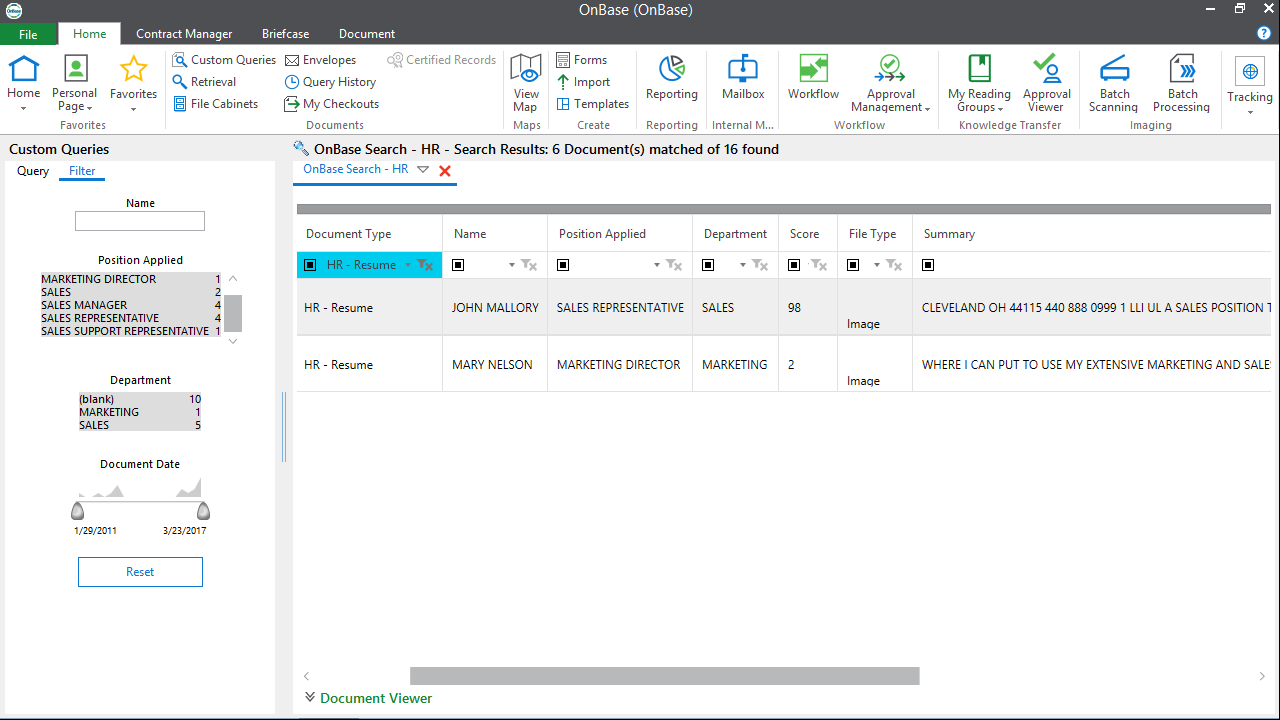
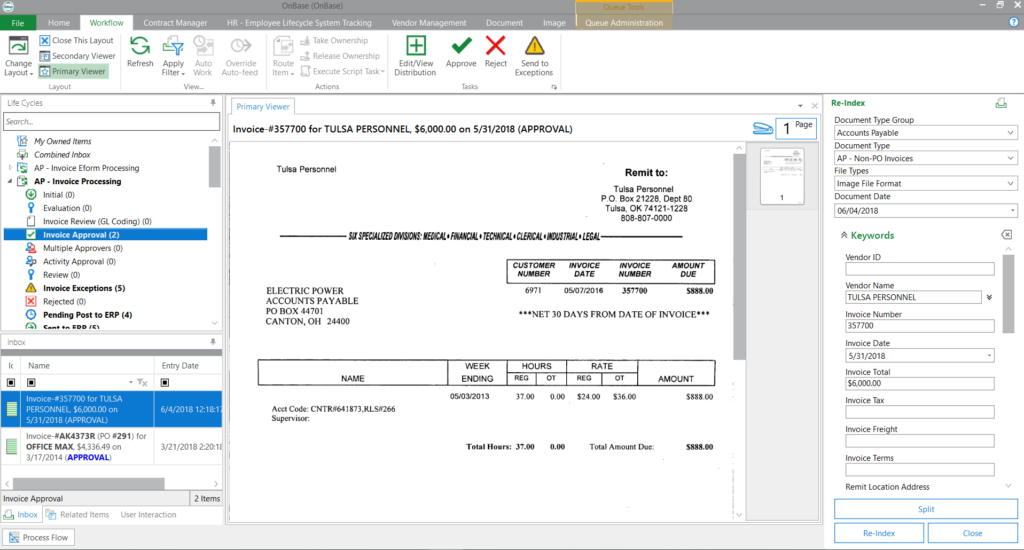
To ground the discussion visually before we go deep:
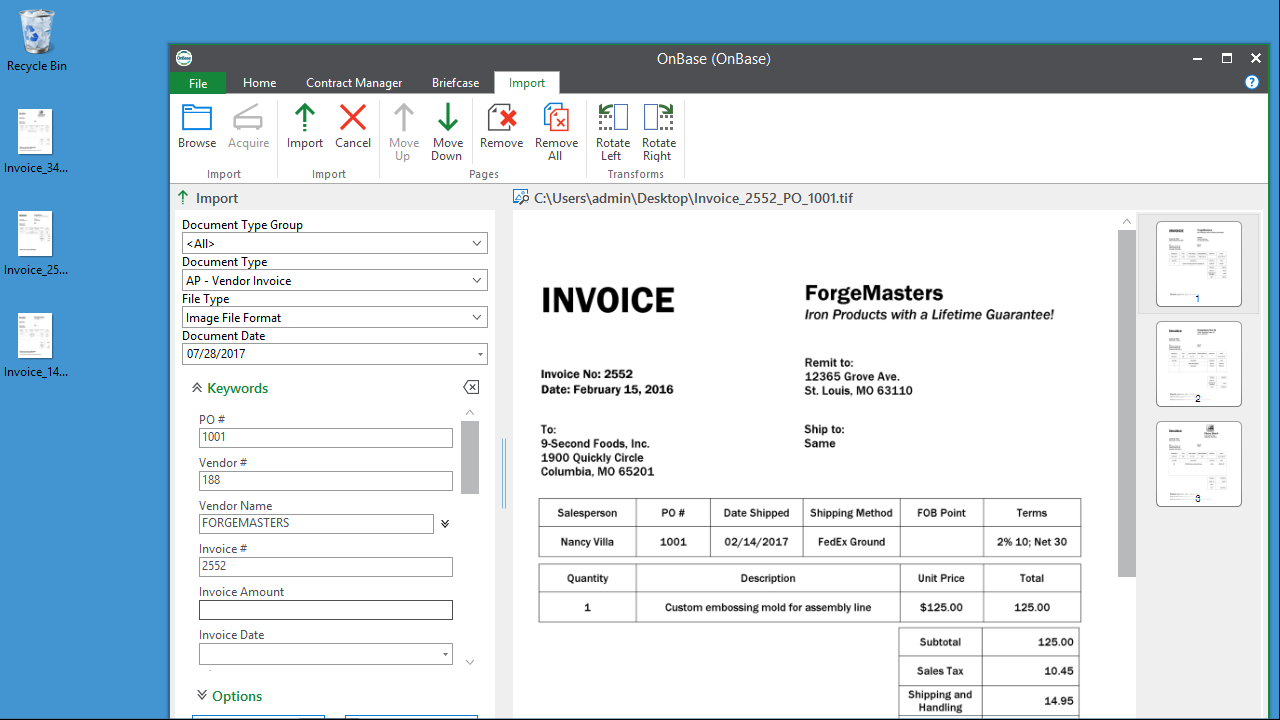
What OnBase Actually Is (Beyond the Marketing Line)
OnBase is an enterprise content services platform designed to manage documents, records, cases, and workflows across regulated, process-heavy organizations. It centralizes content, enforces retention rules, automates approvals, and ties documents directly to business processes rather than folders.
That last part matters.
OnBase doesn’t think in “files.”
It thinks in process states.
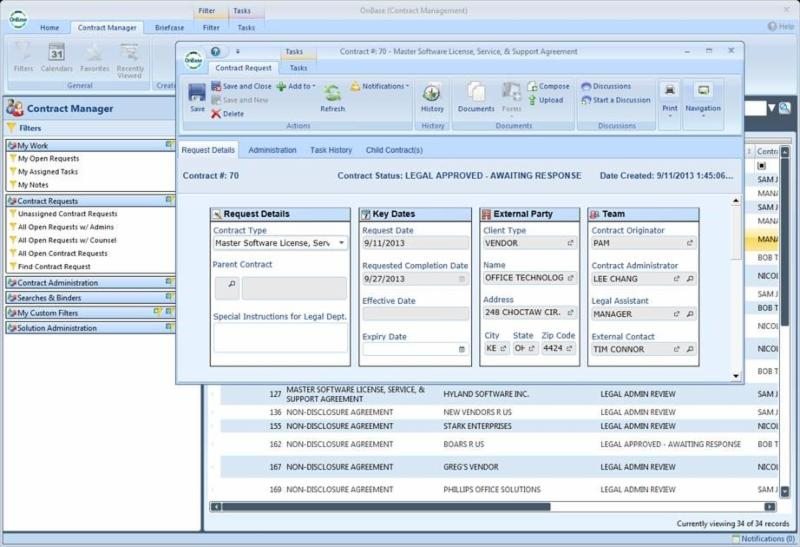
A document in OnBase is rarely just stored. It’s indexed, classified, permissioned, versioned, routed, audited, retained, and eventually destroyed — all according to predefined rules.
This is why OnBase shows up disproportionately in healthcare, government, financial services, insurance, education, and manufacturing. These environments don’t reward flexibility; they reward predictability and defensibility.
Why Organizations Still Choose OnBase in 2025
Let’s be blunt: companies don’t choose OnBase because it’s easy. They choose it because failure is expensive.
OnBase excels in environments where:
- documents are legally binding
- processes must be provable after the fact
- workflows span multiple departments
- human discretion must be constrained
- audit trails must be immutable
- retention schedules are non-negotiable
This is not the tool you adopt to “move faster.”
It’s the tool you adopt to stop things from going wrong quietly.
Here’s a high-level reality check:
| Dimension | Where OnBase Excels | Where It Feels Heavy |
|---|---|---|
| Compliance | Extremely strong | Requires upfront configuration |
| Auditability | Best-in-class | Not intuitive for casual users |
| Workflow enforcement | Deterministic and rigid | Hard to adapt quickly |
| Scale | Designed for thousands of users | Overkill for small teams |
| Governance | Centralized and controlled | Slows experimentation |
That tradeoff is intentional. OnBase was never meant to be lightweight.
Document Management in OnBase: Structured, Not Casual
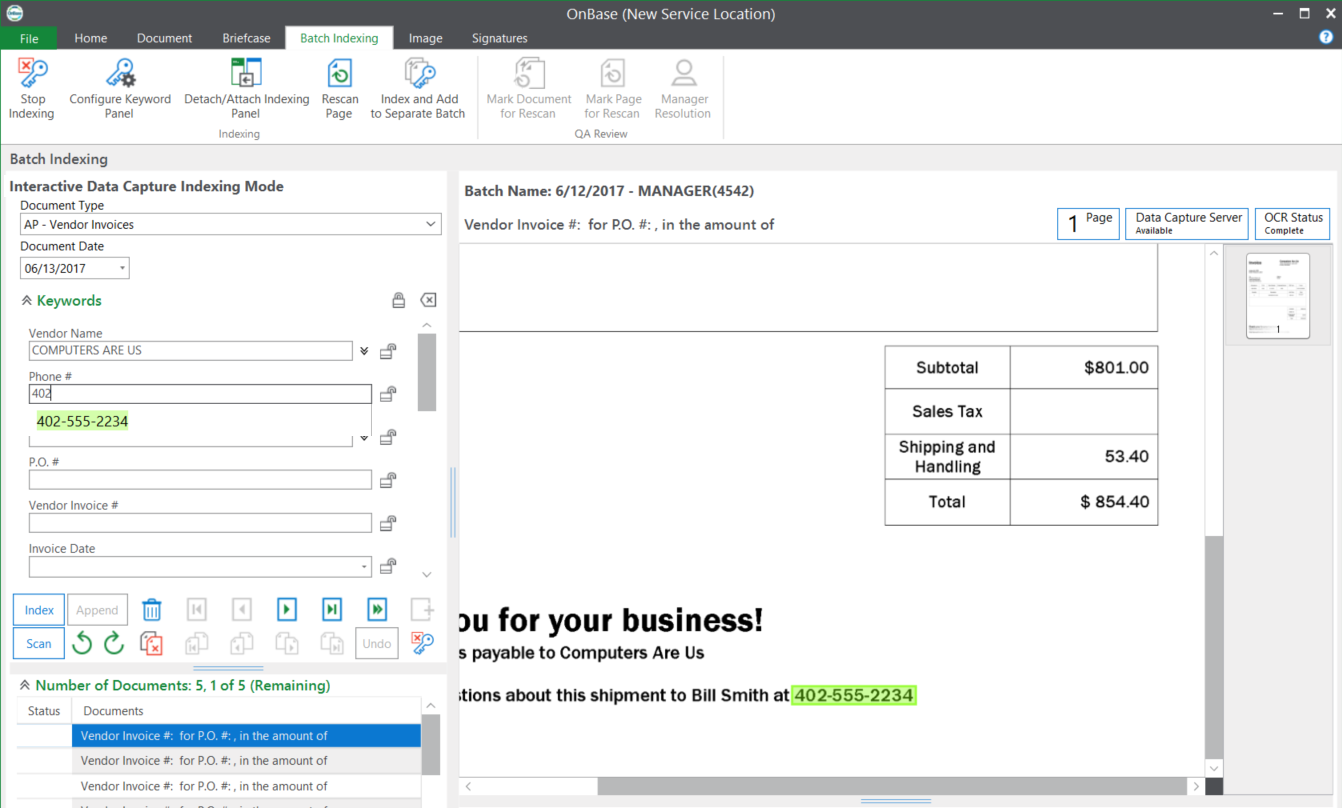
OnBase document management is built around indexing discipline. Every document is captured with metadata that determines:
- who can see it
- where it appears in workflows
- how long it’s retained
- when it’s archived
- when it’s destroyed
This forces organizations to answer uncomfortable questions early. What counts as a “final” document? Who owns it? How long does it live? What happens if policy changes?
OnBase does not tolerate ambiguity well. And that’s a feature, not a bug.
Here’s how OnBase document management differs from generic DMS tools:
| Capability | OnBase | Typical Cloud DMS |
|---|---|---|
| Metadata enforcement | Mandatory | Optional |
| Retention rules | Native | Often add-on |
| Audit trails | Immutable | Partial |
| Document lifecycle | Explicitly modeled | Often implicit |
| Regulatory alignment | Built-in | Usually external |
Workflow Automation: Where OnBase Becomes a Control System
Workflow automation is where OnBase stops being “document management” and becomes operational infrastructure.
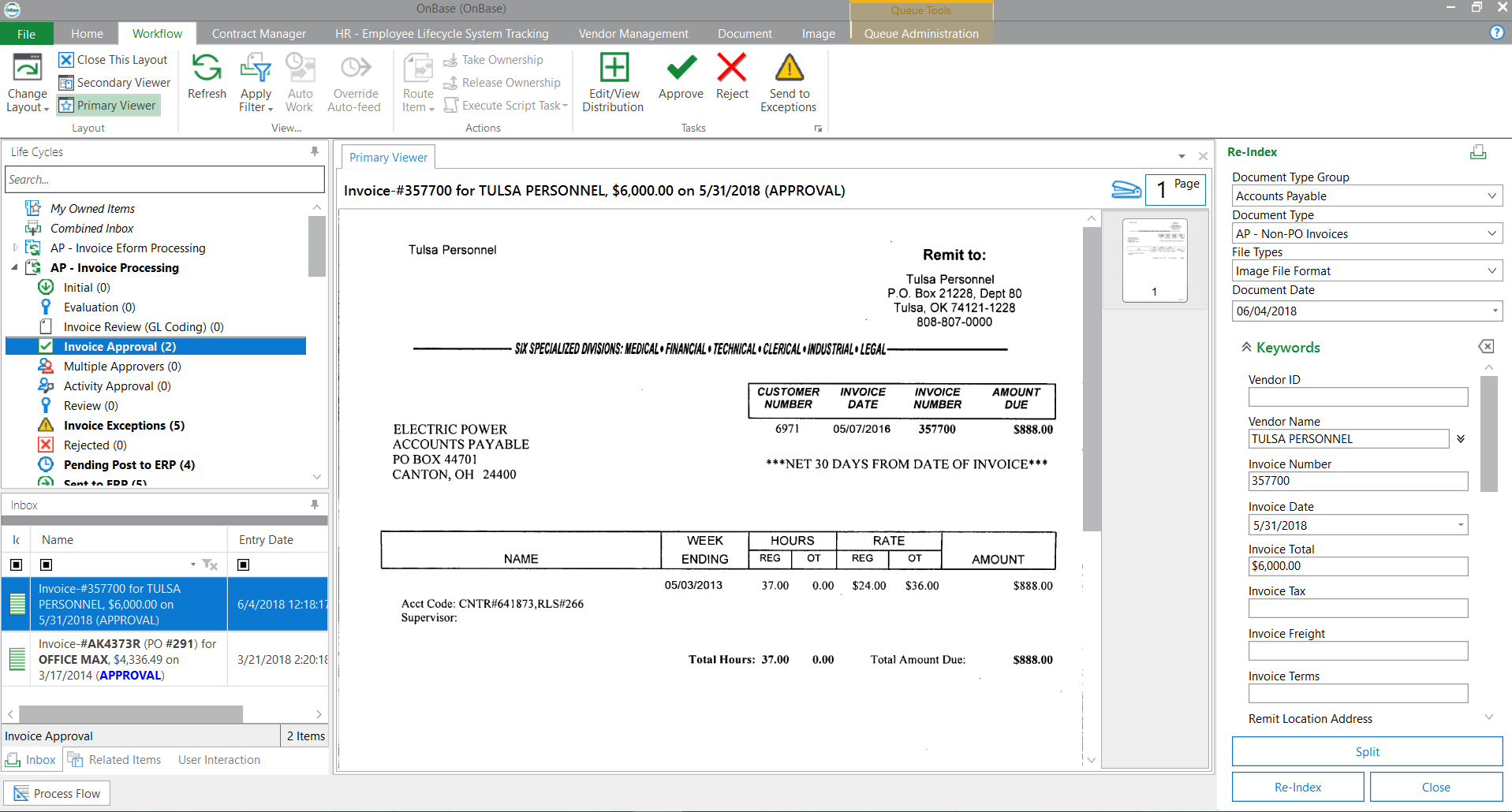
OnBase workflows are state-driven. Documents move through predefined stages. Actions trigger automatically. Approvals route based on role, department, condition, or exception. Everything is logged.
This makes OnBase workflows excellent for:
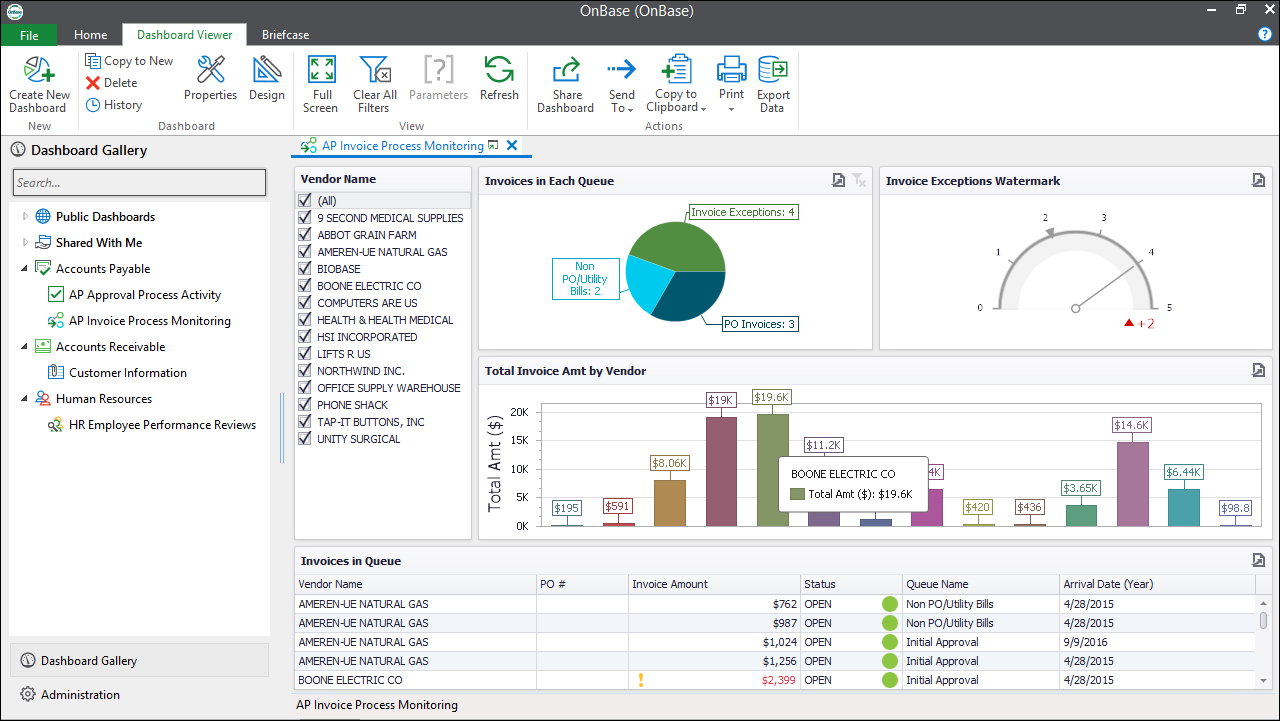
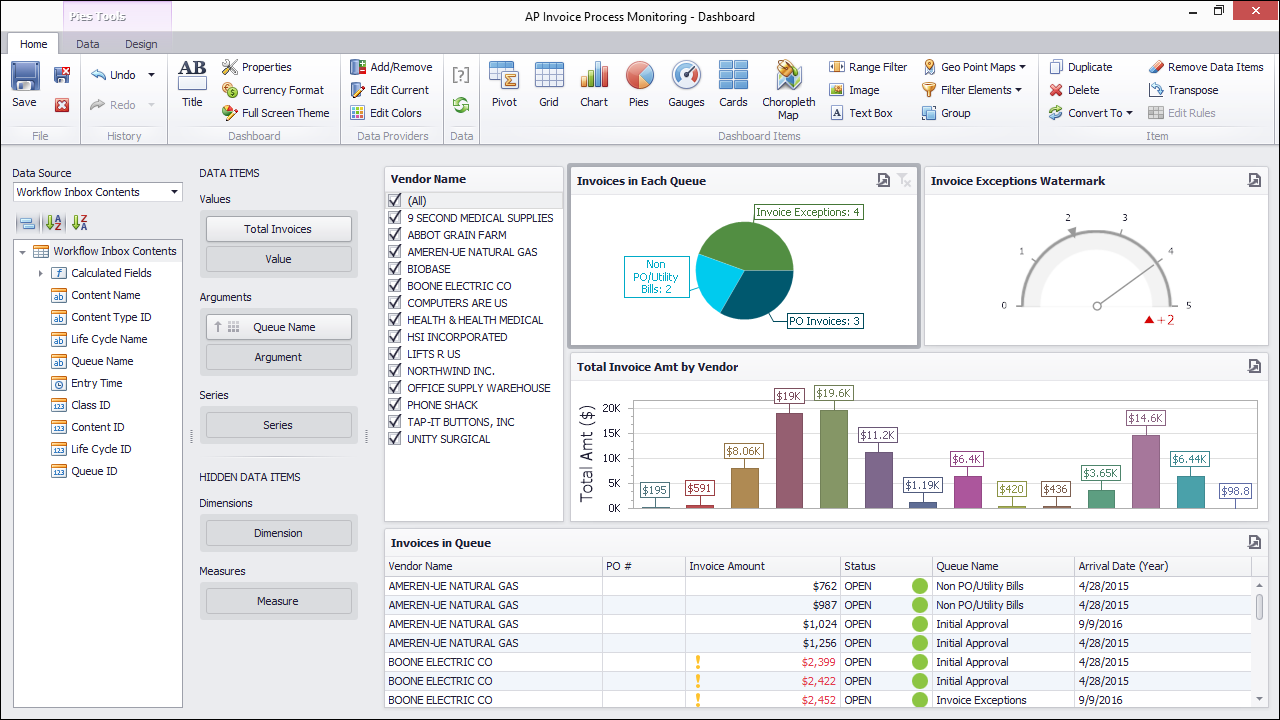
- invoice processing
- contract approvals
- patient records routing
- claims management
- HR onboarding/offboarding
- procurement workflows
- compliance review cycles
What OnBase does not do well is improvisation. You don’t casually tweak workflows on a Friday afternoon. Changes require planning, testing, and governance sign-off.
And that’s the point.
The Reality of OnBase Workflow Design
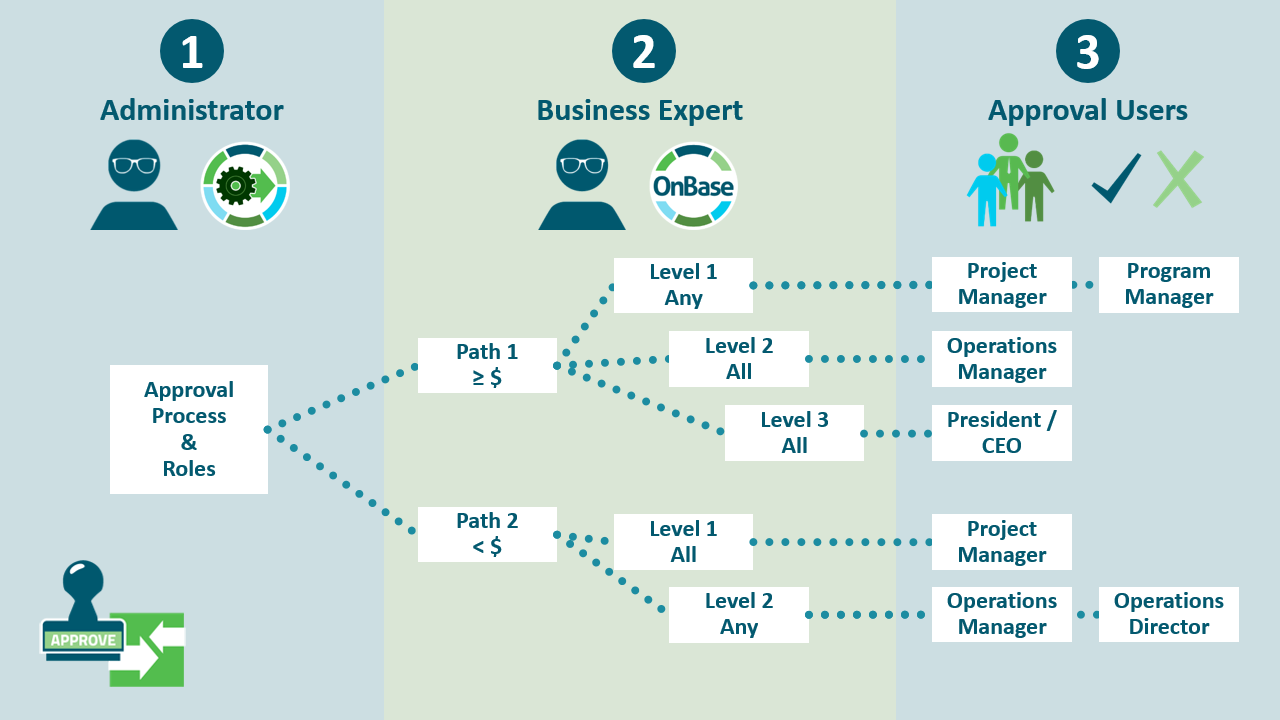
OnBase workflows behave more like policy engines than automation toys. Each path is intentional. Each exception must be accounted for. Each rule must be defensible.
This is why OnBase deployments succeed or fail based on process clarity, not technology.
If your organization cannot clearly define:
- who approves what
- under which conditions
- with what documentation
- and what happens when something breaks
OnBase will expose that weakness immediately.
This is where many teams struggle. Not because OnBase is difficult, but because their processes were never truly defined before.
Integration: Strong Internally, Conservative Externally
OnBase integrates deeply with core enterprise systems — ERPs, EHRs, line-of-business apps — but it does so conservatively. APIs exist. Connectors exist. But the platform prioritizes stability over experimentation.
This has consequences.
| Integration Aspect | Strength | Limitation |
|---|---|---|
| ERP integration | Deep and stable | Requires planning |
| Identity management | Strong | Complex setup |
| External APIs | Available | Less flexible than modern iPaaS tools |
| Cloud-native tools | Supported | Not first-class citizens |
Most organizations pair OnBase with a workflow orchestration layer (Make, Workato, MuleSoft) rather than trying to make OnBase the integration hub itself.
That’s a wise move.
OnBase vs SharePoint vs OpenText comparison
| Dimension | OnBase (Hyland) | SharePoint (Microsoft) | OpenText (Content Suite / Documentum) |
|---|---|---|---|
| What it is | Enterprise content management focused on content + processes + cases in one platform | Collaboration + team sites + content sharing (intranet/document libraries) | Enterprise content management suite built for document management + governance + compliance at scale |
| Workflow/automation | Strong “content-to-process” workflows + case-style work | “Workflows” are typically assembled via the Microsoft stack (sites/lists + automation tooling) | Strong workflow/automation options (suite-dependent), often designed for complex, regulated operations |
| Governance & compliance | Built for controlled content + auditability around processes/cases | Governance exists, but success depends heavily on how you design/operate it | Heavy emphasis on compliance, security, and enterprise governance (esp. Documentum for regulated/high-volume needs) |
| Capture/ingestion | Generally strong capture → classify → route patterns | Usually file-centric collaboration; capture is often add-ons/integrations | Strong enterprise capture/management story (product-line dependent) |
| Integrations | Integrates with enterprise apps around business processes | Best if you’re already all-in on Microsoft 365 ecosystem | Enterprise integrations; Documentum often positioned for “single source of truth” in regulated environments |
| Best for | Ops-heavy teams that want workflow + content + case management tightly coupled | Microsoft-first orgs needing intranet + collaboration + lightweight doc mgmt | Large enterprises needing formal ECM + governance and high assurance content control |
| Common gotcha 😅 | Powerful implementations need disciplined taxonomy/process design | Sprawl (sites/permissions/content) without strict governance | Can become a big-suite program (scope, services, admin complexity) |
Case Management: The Underrated Strength
Case management is where OnBase quietly outperforms many modern platforms.
A “case” in OnBase isn’t just a folder. It’s a structured entity with:
- linked documents
- workflow states
- assigned owners
- escalation rules
- audit history
This makes it ideal for long-running, human-centric processes where context matters more than speed.
Think investigations, claims, compliance reviews, disciplinary actions, licensing reviews.
The system remembers everything. Humans don’t have to.
What Usually Goes Wrong With OnBase Implementations
Here’s the uncomfortable part. OnBase implementations fail in very predictable ways.
| Failure Mode | Root Cause |
|---|---|
| User resistance | Overly rigid workflows introduced too fast |
| Slow rollout | Over-customization early |
| Shadow systems | Teams bypass OnBase for “speed” |
| Maintenance fatigue | Governance not staffed properly |
| Poor adoption | Training treated as optional |
OnBase punishes ambiguity. If leadership wants flexibility without structure, the system will feel oppressive. If leadership commits to discipline, it becomes a backbone.
Who OnBase Is Actually For
OnBase is not for startups. It’s not for experimentation-heavy teams. It’s not for organizations that redefine processes weekly.

OnBase is for organizations that:
- operate under regulatory scrutiny
- value control over speed
- accept that governance has cost
- understand that automation without rules creates chaos
Here’s the simplified fit assessment:
| Organization Type | OnBase Fit |
|---|---|
| Healthcare systems | Excellent |
| Government agencies | Excellent |
| Financial services | Excellent |
| Insurance | Excellent |
| Manufacturing (regulated) | Strong |
| SaaS startups | Poor |
| Creative teams | Poor |
A Thought CTOs and CIOs Should Sit With
OnBase doesn’t make organizations more innovative.
It makes them less fragile.
And in many industries, fragility is the real enemy.
The real question isn’t whether OnBase feels modern enough.
The real question is whether your organization is ready to accept the discipline that OnBase enforces.
Because once it’s in place, it will reflect your operational maturity back at you — without flattery.
And that’s exactly why it’s still here.