How to Auto-Categorize WordPress Posts using LLM APIs

Last Updated on September 13, 2026 by Triumphoid Team
⚡ TL;DR
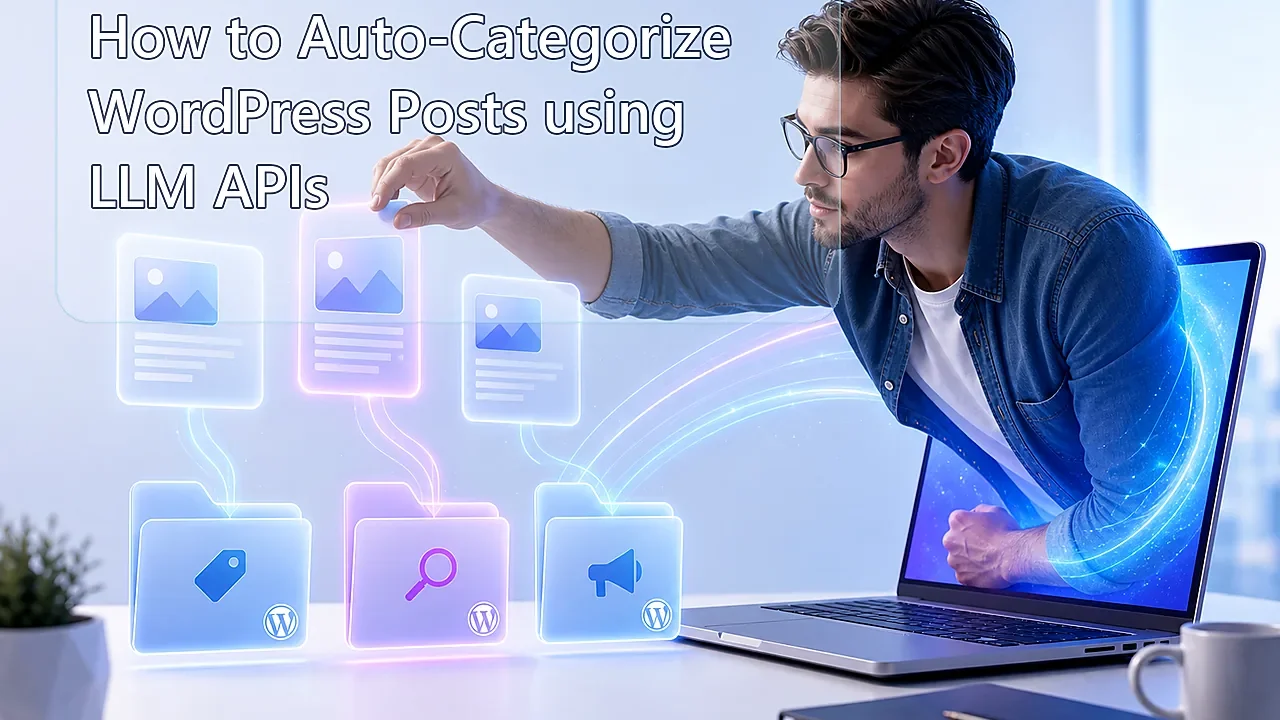
To auto categorize WordPress posts with an LLM, the clean production pattern is: read the post title and body, send only the taxonomy choices you actually allow, force the model to return one strict taxonomy term ID, validate that ID against WordPress, then update the post’s categories field through the WordPress REST posts endpoint. The reason ID-based classification matters is simple: WordPress categories are assigned as term IDs in the REST API, and hierarchical taxonomies are safest when you work with IDs instead of names or vibes. If you want this workflow to survive contact with a real editorial queue, do not ask the model to invent a category label. Ask it to choose from a fixed map and return one integer.
The lazy version of this workflow is charming for about eight minutes. You dump a post into an AI prompt, ask “what category is this,” get back a pretty word like Marketing or Technology, and then start pretending you built an intelligent publishing system. You did not. You built a fuzzy labeling toy. The grown-up version is stricter, colder, and much more useful: the model sees the post, sees the allowed taxonomy map, and returns exactly one valid WordPress term ID. Nothing more poetic than that.
That difference matters because WordPress is not grading your model on creativity. It is storing structured editorial decisions. If the model returns a label that does not exist, a near-duplicate category, or a category name with the wrong parent context, your content architecture starts rotting quietly. Hierarchical taxonomies are especially unforgiving here because WordPress itself documents that hierarchical taxonomy assignment is safest with term IDs. That is one of those boring implementation details that saves real sites from taxonomy drift.
And in 2026 this matters more, not less. More publishers are using LLMs somewhere in the workflow, but the winning teams are no longer impressed by generic “AI tagging.” They want machine-readable, repeatable classification that respects the editorial system already in place. In other words, fewer vibes, more governance. That is the right instinct.
What auto categorize WordPress posts actually means
To auto categorize WordPress posts means a script or workflow reads a post, compares it against a predefined taxonomy, picks the most appropriate category, and updates the post with the correct WordPress term ID automatically. In WordPress REST, posts expose a categories field for assigned category terms, and categories themselves are retrieved through the categories endpoint, which is exactly what makes an ID-driven classification workflow possible without plugin acrobatics.
The key word there is predefined. If you do not define the allowed taxonomy choices up front, the model is not classifying. It is improvising. That is fun for chatbots. It is bad for content systems.
The short framework
| Step | What happens | Why it matters |
|---|---|---|
| 1 | Pull allowed categories from WordPress | The model only sees valid taxonomy options |
| 2 | Read the post title and body | The classification uses real content context |
| 3 | Send content plus category map to the LLM | The model chooses from fixed IDs instead of freewriting labels |
| 4 | Validate the returned ID | Prevents invalid or hallucinated term assignments |
| 5 | Update the post’s categories field | The result lands directly in WordPress |
That is the whole system. The popular opinion is that auto-categorization is an NLP magic trick. It is not. It is a controlled classification pipeline with one job: return a valid taxonomy ID and stop there.
Why taxonomy IDs matter more than labels
Because labels lie. Or at least, they drift.
A model can return “SEO,” “Search Engine Optimization,” “Technical SEO,” or some half-helpful synonym that sounds correct to a human but does not map cleanly to the taxonomy in WordPress. IDs do not have that problem. They are the actual keys WordPress uses. The REST posts reference documents categories as the terms assigned to the post in the category taxonomy, and WordPress core function docs explicitly note that hierarchical taxonomies should use IDs. So the stricter your workflow is about IDs, the less taxonomy entropy you create.
This is also why strict structured outputs matter. OpenAI’s Structured Outputs feature is built specifically to keep model responses conforming to a JSON schema, which is exactly what you want when your desired result is “return one integer from an allowed set,” not “write me something close enough.” That is a much better fit for taxonomy work than ordinary free-form completions.
The right architecture
| Layer | Recommended role | What it solves |
|---|---|---|
| Taxonomy source | WordPress categories endpoint | Keeps the allowed choices in sync with the actual CMS |
| Content source | WordPress posts endpoint | Pulls the title, excerpt, slug, and body for classification |
| LLM layer | Structured output classification call | Returns one strict taxonomy ID |
| Validation layer | Script-side ID check against allowed IDs | Blocks invalid category writes |
| Write-back | WordPress post update | Persists the category assignment into the system of record |
The best part is that none of this requires mystical AI architecture. It requires a boring respect for data contracts. Pull categories. Pull post. Ask for one integer. Validate it. Write it back. This is why the strongest AI workflows in publishing often look less like science fiction and more like strict middleware.
Python script: send post content to AI and return a strict taxonomy ID
The script below does exactly what a production-friendly classifier should do. It fetches your WordPress categories, fetches a post, sends the content and allowed categories to an LLM using a strict JSON schema, validates the returned category ID, then updates the WordPress post with that category. The important bit is not that it uses AI. The important bit is that the AI is fenced in tightly enough to behave.
import os
import json
import requests
from openai import OpenAI

WP_URL = os.environ["WP_URL"].rstrip("/")
WP_USERNAME = os.environ["WP_USERNAME"]
WP_APP_PASSWORD = os.environ["WP_APP_PASSWORD"]
OPENAI_API_KEY = os.environ["OPENAI_API_KEY"]

POST_ID = 123  # Change this

client = OpenAI(api_key=OPENAI_API_KEY)

def wp_auth():
    return (WP_USERNAME, WP_APP_PASSWORD)

def get_categories():
    r = requests.get(
        f"{WP_URL}/wp-json/wp/v2/categories",
        auth=wp_auth(),
        params={"per_page": 100}
    )
    r.raise_for_status()
    categories = r.json()
    return [
        {
            "id": cat["id"],
            "name": cat["name"],
            "description": cat.get("description", "")
        }
        for cat in categories
    ]

def get_post(post_id):
    r = requests.get(
        f"{WP_URL}/wp-json/wp/v2/posts/{post_id}",
        auth=wp_auth()
    )
    r.raise_for_status()
    return r.json()

def classify_post(post, categories):
    category_options = "\n".join(
        f'- ID {c["id"]}: {c["name"]} | {c["description"]}'
        for c in categories
    )

    prompt = f"""
You are a WordPress taxonomy classifier.

Your job:
- Read the post content.
- Choose exactly ONE category ID from the allowed list.
- Return valid JSON only.

Rules:
- Do not invent categories.
- Do not return category names.
- Return one integer category_id from the allowed IDs only.
- If multiple categories seem plausible, choose the single best primary category.

Allowed categories:
{category_options}

Post title:
{post["title"]["rendered"]}

Post excerpt:
{post["excerpt"]["rendered"]}

Post content:
{post["content"]["rendered"]}
"""

    response = client.responses.create(
        model="gpt-5.4-mini",
        input=prompt,
        text={
            "format": {
                "type": "json_schema",
                "name": "wp_category_classifier",
                "schema": {
                    "type": "object",
                    "properties": {
                        "category_id": {
                            "type": "integer"
                        }
                    },
                    "required": ["category_id"],
                    "additionalProperties": False
                }
            }
        }
    )

    data = json.loads(response.output_text)
    return data["category_id"]

def update_post_category(post_id, category_id):
    payload = {
        "categories": [category_id]
    }

    r = requests.post(
        f"{WP_URL}/wp-json/wp/v2/posts/{post_id}",
        auth=wp_auth(),
        json=payload
    )
    r.raise_for_status()
    return r.json()

def main():
    categories = get_categories()
    allowed_ids = {c["id"] for c in categories}
    post = get_post(POST_ID)

    category_id = classify_post(post, categories)

    if category_id not in allowed_ids:
        raise ValueError(f"Invalid category_id returned: {category_id}")

    updated = update_post_category(POST_ID, category_id)
    print("Updated post:", updated["id"], "with category:", category_id)

if __name__ == "__main__":
    main()
The reason this script is safer than the average “AI categorizer” tutorial is that it does not trust the model with naming authority. WordPress already owns the taxonomy. The model only gets to choose from the IDs WordPress says are valid. That is the right power balance.
How the write-back works in WordPress
WordPress exposes posts through the REST API, and the posts schema includes a categories field for assigned category terms. Categories themselves are available through the categories endpoint, so the script can pull live taxonomy data and then update the post using a standard authenticated request. That is why this workflow is so much cleaner than hardcoding category names in a script and praying no editor changes the taxonomy later.
And yes, using live taxonomy retrieval is the adult move. Hardcoded category maps go stale. Editorial structures change. New sections get added. Old sections get merged. If your classifier does not read the current taxonomy from WordPress, it is already aging poorly the day you deploy it.
Prompt constraints that actually help
The easiest way to make an LLM worse at classification is to give it too much freedom. Ask for “the best category” in plain English and it will often do something annoyingly human: hedge, explain, add labels, or return a beautiful answer that is useless to your system. Ask for one strict integer from a closed set and suddenly it behaves like part of a pipeline. Funny how that works.
| Prompt pattern | What happens | Why it is good or bad |
|---|---|---|
| “What category fits this post?” | Free-form explanation, labels, hedging | Bad for automation because the result is not machine-safe |
| “Choose one category name from this list” | Better, but still vulnerable to label drift or formatting noise | Decent, not ideal |
| “Return exactly one integer category_id from this allowed set” | Machine-readable output | Best for production pipelines |
This is why I think a lot of AI content-ops advice is still weirdly immature. It treats the model as a writer first and a system component second. In production classification work, that order should be reversed.
What docs do not tell you
LLM categorization fails most often at the taxonomy boundary, not the model boundary. People blame the model when the real issue is a sloppy category tree, overlapping editorial buckets, or duplicated terms with fuzzy naming. If your taxonomy is badly designed, the classifier is being asked to pick the least wrong answer from a bad menu. That is not an AI problem. That is an information architecture problem.
One-category enforcement can be a feature, not a bug. Yes, many posts could belong to multiple categories. That does not mean your primary category system should indulge indecision. If your workflow needs one primary bucket for archive hygiene, internal linking, or editorial ownership, forcing a single ID is often healthier than pretending ambiguity is sophistication. The model can still help; it just has to help inside your rules.
Structured outputs are not just for prettier JSON. They reduce a whole class of production errors where the model returns extra commentary, code fences, labels, or values that look plausible but do not fit your parser. For category assignment, that reliability matters more than eloquence.
🛠 Pro-Tip
Do not hand the model the full category tree if you already know the post type, site section, or author silo narrows the possible choices. Pre-filter the candidate IDs first. A smaller allowed set reduces misclassification, lowers token usage, and makes the model act more like a deterministic router than a wandering editorial intern.
Our experience with auto categorize WordPress posts
Our experience with auto categorize wordpress posts workflows is that the biggest mistake is trying to make them feel intelligent instead of making them feel dependable. Teams get excited about semantic nuance, multi-label reasoning, confidence scores, and category explanations. Fine. Interesting. But the production value usually comes from something much duller: one clean primary category, assigned consistently, with very low failure rates. That is what helps archives, templates, internal navigation, and editorial cleanup.
We have also found that this workflow works best when the category system is opinionated. Not bloated. Not “everything could fit in three places.” If your taxonomy is mushy, the model will mirror that mushiness back at you. If your taxonomy is sharp, the model becomes surprisingly useful as a classification layer. In other words, better AI categorization often starts with less category chaos, not more model complexity.
And that is probably the uncomfortable question worth asking. If your site still struggles to categorize posts consistently, is the missing ingredient really AI, or is AI just the first thing forcing you to notice that your taxonomy architecture was fuzzy all along?