Gemini API vs OpenAI for WordPress Content Curation

Last Updated on September 13, 2026 by Triumphoid Team
For WordPress content curation, Gemini is usually the better choice when you care most about speed and cost. OpenAI is usually the better choice when you care most about tighter editorial control and cleaner formatting discipline. Right now, Gemini 3 Flash pricing is lower than OpenAI GPT-5.4 mini pricing on both input and output tokens, and public latency benchmarks from Artificial Analysis show Gemini 3 Flash responding faster in common API scenarios. If your workflow is “ingest source material, rewrite it, and push it into WordPress drafts at scale,” Gemini has the cleaner unit economics. If your workflow is “produce fewer drafts, but with stricter voice control and fewer formatting surprises,” OpenAI still has an edge.
The lazy opinion is that this is just a cheap-vs-smart fight. That’s not how grown-up content operations work.
For WordPress curation, you are not choosing a chatbot. You are choosing a production component in a publishing system. What matters is not who gives the prettiest answer in a playground. What matters is who gives you the better mix of latency, token economics, output consistency, and workflow reliability when the model is sitting inside a draft-generation pipeline all day.
That is where gemini api vs openai gets interesting.
What WordPress content curation actually means
A proper definition first.
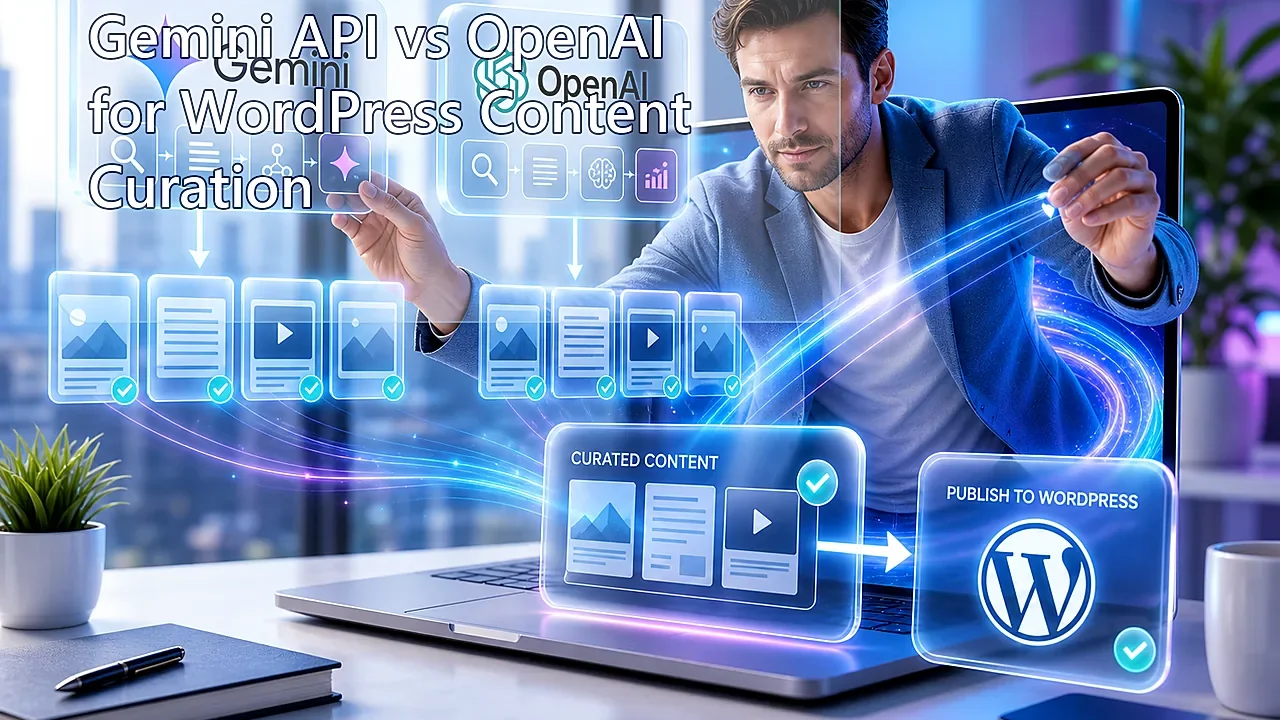
WordPress content curation is the process of taking source material, extracting the useful signal, restructuring it into a publishable format, and sending that result into WordPress as a draft through the REST API. In practice, that means summaries, headlines, excerpts, source clustering, post angle generation, tags, slug suggestions, and full draft assembly. WordPress supports draft creation through its posts REST endpoint, which is exactly why this workflow is so practical without plugins.
That distinction matters because the model is not acting like a creative assistant here. It is acting like a content transformation engine.
The real choice
For most teams, the decision looks like this:
| Use case | Better default | Why |
|---|---|---|
| High-volume source summarization and draft generation | Gemini | Lower token costs and faster response benchmarks make it better for throughput-heavy pipelines |
| Tighter editorial rewrites with stronger formatting obedience | OpenAI | More expensive, but often easier to steer cleanly when tone and structure matter more than cost |
| Overnight batch curation jobs | Gemini | Lower standard and batch economics make it easier to scale large draft queues |
| Search-grounded content pipelines | Gemini | Google has a more obvious native story around grounded generation and search-linked enrichment |
My view is simple: if your main problem is cost per draft and queue speed, Gemini is hard to beat right now. If your main problem is “the model occasionally gets too clever when I just want obedient rewrites,” OpenAI still feels safer.
Pricing: cost per 1,000 tokens
This is where the comparison stops being theoretical.
According to the current Gemini API pricing page, Gemini 3 Flash is priced at $0.50 per 1 million input tokens and $3.00 per 1 million output tokens. According to the current OpenAI API pricing page, GPT-5.4 mini is priced at $0.75 per 1 million input tokens and $4.50 per 1 million output tokens.
Converted into cost per 1,000 tokens, which is how many teams actually estimate workflow cost, that looks like this:
| Model | Input cost / 1,000 tokens | Output cost / 1,000 tokens |
|---|---|---|
| Gemini 3 Flash | $0.0005 | $0.0030 |
| GPT-5.4 mini | $0.00075 | $0.0045 |
Tiny numbers. Until they aren’t.
Let’s say your curation workflow uses roughly 8,000 input tokens and 2,000 output tokens to turn source material into a WordPress-ready draft. That would put the estimated cost per generated draft at:
| Model | Approx. cost per draft |
|---|---|
| Gemini 3 Flash | $0.0100 |
| GPT-5.4 mini | $0.0150 |
That difference looks harmless if you are generating 20 drafts a week. It stops looking harmless if you are producing thousands of drafts a month, running retries, or layering classification, summarization, and rewrite passes into one pipeline. At that point, cheaper tokens are not a trivia point. They are margin.
This is exactly why so many technical publishing teams in 2026 are moving away from “best model” thinking and toward best cost-per-accepted-draft thinking. That’s the metric that bites.
Real-world latency tests
Now the uglier metric.
Latency comparisons online are often a mess because people compare different prompt sizes, different reasoning modes, different streaming settings, and different model classes, then act shocked when the numbers don’t line up.
A more useful benchmark comes from Artificial Analysis, which currently shows Gemini 3 Flash with median output speed around 160 tokens per second, median first-chunk latency around 7.68 seconds, and total response time around 10.80 seconds. The same leaderboard shows GPT-5.4 mini (xhigh) at around 154 tokens per second, with first-chunk latency around 10.82 seconds and total response time around 14.06 seconds.
That gives us a cleaner comparison:
| Model | Median output speed | First chunk latency | Total response time |
|---|---|---|---|
| Gemini 3 Flash | 160 t/s | 7.68s | 10.80s |
| GPT-5.4 mini (xhigh) | 154 t/s | 10.82s | 14.06s |
That is not a rounding error. In a WordPress content queue, those seconds stack up.
There is another detail that matters. Google’s Gemini 3 documentation makes it clear that the model family includes a thinking_level control. Lower thinking levels reduce latency and cost for high-throughput work. That matters because most content curation jobs are not deep reasoning tasks. They are extraction, compression, ranking, and rewrite tasks. In other words, they benefit much more from disciplined throughput than from slow, expensive reasoning.
That is one reason Gemini currently fits content curation pipelines so well.
How to run a latency test that actually means something
If you want to benchmark this yourself, don’t use toy prompts. That tells you almost nothing.
A useful test for WordPress curation should look more like this:
| Test element | Recommended setup |
|---|---|
| Input size | 2,000 to 8,000 tokens of source text |
| Prompt objective | Generate title, slug, excerpt, category suggestion, and a 700–1,000 word draft |
| Output format | Strict JSON or tightly structured Markdown |
| Temperature / reasoning | Keep low and consistent |
| Number of runs | At least 20 per model |
| Metrics | First token, total response, malformed JSON rate, token usage, retry rate |
That is the kind of benchmark that maps to an actual publishing workflow. Everything else is mostly performance theater.
Output quality for WordPress curation
This is where the comparison becomes less numerical and more operational.
For WordPress content curation, what matters is not general intelligence. It is whether the model behaves well inside a structured publishing workflow.
You care about things like:
| Requirement | Why it matters |
|---|---|
| Stable schema obedience | Prevents broken drafts and parsing failures |
| Tight voice control | Keeps brand tone from wandering off |
| Clean headline and excerpt generation | Reduces editor cleanup time |
| Predictable HTML or Markdown output | Makes WordPress insertion smoother |
| Fewer weird transitions and invented connective tissue | Reduces manual rewrites |
| Strong long-context handling | Helps with multi-source curation and content clustering |
My opinion: Gemini is the stronger throughput-and-economics engine right now. OpenAI is the stronger editorial-control engine.
That does not mean Gemini is sloppy. It means OpenAI still often feels a little easier to keep on rails when the content must sound restrained, structured, and brand-safe on the first pass.
And that difference matters more than people admit. A cheap draft that needs heavy cleanup is not actually cheap.
Code snippet: push Gemini outputs directly to WordPress drafts
Here is the part that matters in practice.
The following Node.js example uses Google’s JavaScript SDK to generate curated content with Gemini, then pushes that result directly into WordPress as a draft through the REST API.
import { GoogleGenAI } from "@google/genai";const ai = new GoogleGenAI({
  apiKey: process.env.GEMINI_API_KEY,
});const WP_URL = process.env.WP_URL; // e.g. https://example.com
const WP_USERNAME = process.env.WP_USERNAME;
const WP_APP_PASSWORD = process.env.WP_APP_PASSWORD;async function createCuratedDraft(sourceText) {
  const prompt = `
You are a senior content curator for a WordPress publication.Task:
1. Read the source material.
2. Create a clean WordPress-ready draft.
3. Return valid JSON only with these keys:
   title, slug, excerpt, contentRules:
- Write in clear editorial English.
- Do not mention that this was AI-generated.
- Create an SEO-friendly slug.
- Content must be in HTML paragraphs and headings suitable for WordPress.
- Keep the excerpt under 155 characters.Source material:
${sourceText}
`;  const response = await ai.models.generateContent({
    model: "gemini-3-flash-preview",
    contents: prompt,
    config: {
      temperature: 0.3,
      responseMimeType: "application/json",
    },
  });  const rawText = response.text;
  const draft = JSON.parse(rawText);  const auth = Buffer.from(
    `${WP_USERNAME}:${WP_APP_PASSWORD}`
  ).toString("base64");  const wpResponse = await fetch(`${WP_URL}/wp-json/wp/v2/posts`, {
    method: "POST",
    headers: {
      "Authorization": `Basic ${auth}`,
      "Content-Type": "application/json",
    },
    body: JSON.stringify({
      title: draft.title,
      slug: draft.slug,
      excerpt: draft.excerpt,
      content: draft.content,
      status: "draft",
    }),
  });  if (!wpResponse.ok) {
    const errorText = await wpResponse.text();
    throw new Error(`WordPress draft creation failed: ${errorText}`);
  }  const wpPost = await wpResponse.json();
  return wpPost;
}// Example usage
const sourceText = `
Paste article notes, source summaries, scraped text,
or internal research here.
`;createCuratedDraft(sourceText)
  .then((post) => {
    console.log("Draft created:", post.id, post.link);
  })
  .catch((err) => {
    console.error(err);
  });
This is the clean no-plugin route. Gemini generates the structured draft object. WordPress accepts it as a draft through the REST API. Your editorial team reviews it before anything goes live. Civilized. Very little mystery.
Why this workflow is better than copy-paste curation
Because copy-paste curation is not a system. It is an intern with extra steps.
A proper API-driven workflow gives you:
| Benefit | Operational outcome |
|---|---|
| Draft-first insertion | Human review before publishing |
| Standardized schema | Cleaner downstream editing |
| Repeatable prompts | More stable output across the pipeline |
| Token tracking | Better cost forecasting |
| Error handling | Easier retries and fewer ghost failures |
| Separation of generation and publishing | Less chaos when either side changes |
This is exactly why WordPress content teams with real volume are increasingly treating AI APIs as content middleware, not novelty tools.
What the docs don’t tell you
Here is the part that tends to hurt.
Cheap tokens do not automatically mean cheap drafts
If Gemini is cheaper but needs more editorial cleanup, your savings shrink fast. The real metric is not cost per token. It is cost per usable draft.
Faster models do not automatically make the workflow faster
If the model returns malformed JSON, breaks formatting, or drifts outside your schema, your queue slows down in QA. Fast garbage is still garbage.
Draft-first is not optional
Do not send curated outputs straight to published status unless you enjoy reputational gambling. Curation is a synthesis task. Synthesis drifts. Land everything in drafts first.
Editorial discipline beats model hype
Teams often obsess over model intelligence when their real bottleneck is terrible prompt structure, weak schema design, and zero QA instrumentation. That’s not a model problem. That’s a workflow problem wearing an API badge.
Pro-Tip
Ask the model for a strict JSON object with
title, slug, excerpt, content, and source_notes. Push the visible fields into the draft body, then save source_notes into post meta or a custom field. That gives editors provenance and context without cluttering the public article, and it makes your WordPress draft far easier to audit later. That small change makes QA saner. It also helps when someone asks, three weeks later, “where exactly did this claim come from?”
Our Experience with Gemini API vs OpenAI
Our experience with gemini api vs openai for WordPress content curation is that the wrong question is “Which model is best?”
The right question is: Which one fails in the less expensive way for your workflow?
If you are running a high-volume curation engine that turns source material into draft posts all day, Gemini is very compelling right now. It is cheaper. Public latency data looks strong. The model family is clearly optimized for scalable API usage, and the economics make sense for content teams that care about throughput.
But OpenAI still has a real advantage when you need the model to behave like a disciplined rewriting layer rather than an eager synthesizer. It often feels slightly easier to keep tightly aligned with a voice, a structure, and a fixed output expectation.
So the blunt version looks like this:
| If your bottleneck is… | Pick… |
|---|---|
| API spend | Gemini |
| Response speed | Gemini |
| Editorial obedience | OpenAI |
| High-volume draft pipelines | Gemini |
| More controlled rewrite workflows | OpenAI |
And honestly, there is a more uncomfortable issue sitting underneath all of this. If your “content curation workflow” is still just prompt in, copy out, paste into WordPress, then the model choice is not your biggest problem. The bigger problem is that you do not have a pipeline yet.
The real question seasoned site owners should be asking is not whether Gemini is better than OpenAI in the abstract. It is whether their current WordPress content operations are structured enough to benefit from either one without quietly turning editorial debt into technical debt.