Last Updated on January 6, 2026 by Triumphoid Team
Customer retention automation has become the quiet differentiator between companies that grow steadily and companies that constantly scramble to fill revenue gaps. Ignore the hype around “customer success platforms that solve churn for you.” The reality is far less glamorous: most teams don’t notice early churn signals until it’s too late.
Usage dips. Login frequency declines. Key features go untouched for weeks. The data is there — painfully obvious in hindsight — yet no one sees it in time because there’s no automated system watching for the warning signs.
Let’s be honest, churn rarely happens suddenly.
Clients don’t wake up one morning and decide the product no longer fits. Churn is slow. Predictable. Boring even. It shows up in tiny behavioral shifts long before the cancellation email lands. The tragedy is that most organizations still rely on monthly QBRs or manual dashboard checks to detect risk, which is the operational equivalent of watching smoke pour out of a building before calling the fire department.
This is exactly why the new wave of customer retention automation focuses on real-time alerts. If client usage drops below a meaningful threshold — daily, weekly, or feature-specific — the system should notify your team immediately. No waiting. No manual checks. No spreadsheets. Just instant visibility into which clients are quietly slipping away.
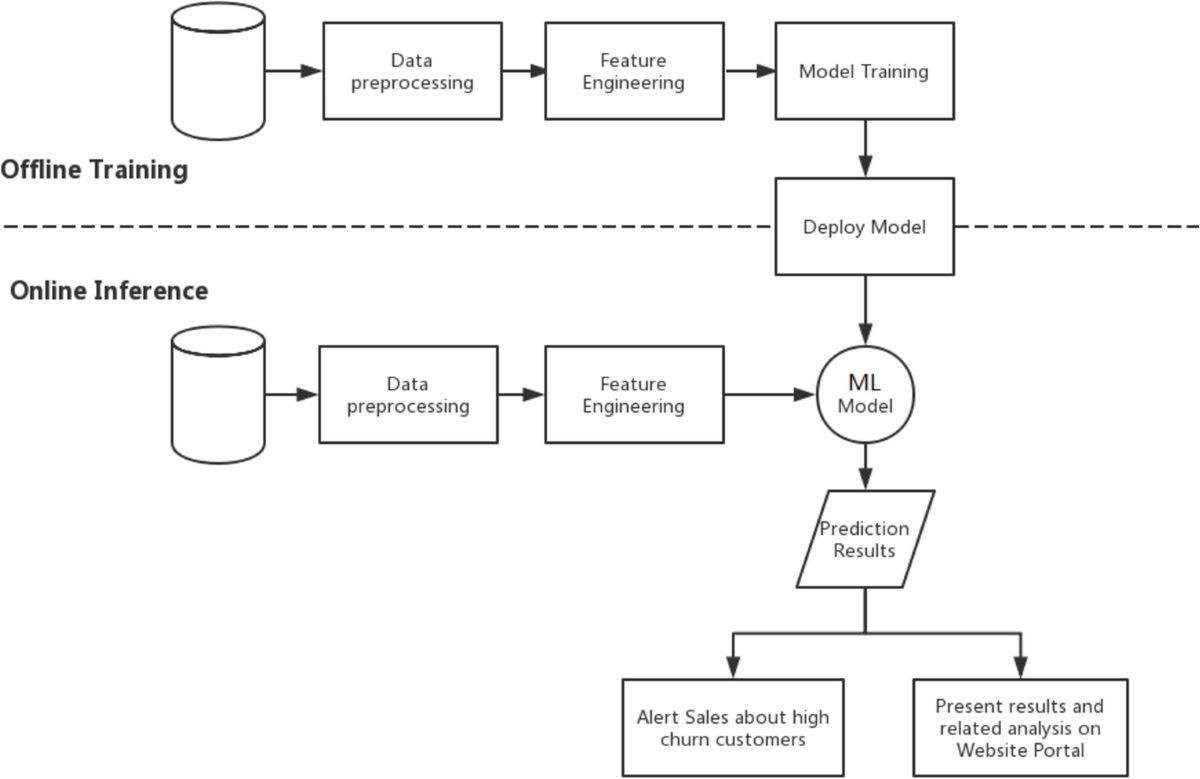
Here’s a visual to set the stage:
The Shift: Retention Is Becoming a Real-Time Discipline
One of the biggest industry shifts over the past two years is the migration from reactive customer success to proactive, data-driven retention. Enterprises finally realized that monitoring churn monthly is essentially guessing. Weekly is better, but still too slow. Daily is where true prevention begins.
Picture this:
A client that logs in daily suddenly stops engaging with a core feature for five days. A customer who typically uploads five files a day drops to one. A workspace with 50 active users suddenly shows only 12 interacting. These metrics aren’t “nice to have.” They are early warning sirens.
Sales teams obsess over pipeline. Success teams should obsess over usage decay.
Yet many companies still rely on intuition instead of automated data signals. To be frank, that’s not strategy — that’s hope. And hope is not a retention framework.
Why Usage-Based Alerts Matter More Than NPS or Surveys
There’s a strange misconception in the industry that NPS, sentiment surveys, and “How likely are you to renew?” questionnaires reveal the truth. They don’t. They reveal what customers want you to hear. Usage tells you what they actually do.
When usage drops, it means:
- Value perception is weakening
- Workflows are breaking inside the client’s org
- A competitor is entering the conversation
- The customer is stuck
- Champions are disengaged
Usage decay is the only unbiased, non-emotional data point in the entire CS ecosystem. And it’s measurable in real time.
Here’s a quick comparison that illustrates the hierarchy of retention signals:
| Signal Type | 🔍 Reliability | ⚠️ Risk When Used Alone | 🧠 Why Usage Wins |
|---|---|---|---|
| NPS | Medium | Clients often overrate | Measures emotion, not behavior |
| CS Touchpoint Notes | Subjective | Dependent on human interpretation | Good context, low sampling |
| Activity Context | High | Requires structured data | Shows actual engagement |
| Product Usage Metrics | Extremely high | Needs automation to activate | Predicts churn before sentiment shows |
Manual monitoring simply cannot catch these drops fast enough. Automation can.
The Hidden Operational Cost of “Silent Churn”
Silent churn is when a customer disengages long before they officially cancel. They gradually stop using the product. They avoid onboarding new teammates. They delay feedback discussions. By the time success teams intervene, the relationship is already half-dead.
It’s frustrating because churn in these cases was entirely preventable. Teams simply weren’t alerted. No one noticed. And executives often misinterpret this as “market conditions” or “pricing sensitivity,” when the underlying issue was lack of visibility.
Revenue damage aside, silent churn erodes internal confidence. Success teams feel guilty. Product teams get misleading feedback. Finance sees volatility. Leadership blames “customer fit.”
All because a simple usage threshold wasn’t monitored.
How Customer Retention Automation Actually Prevents Churn
The magic happens when retention automation sits between product data and human response:
- Product logs →
- Usage thresholds →
- Automated evaluation →
- Slack alert →
- CSM intervention →
- Recovery →
It’s not complicated. It’s discipline codified.
Here’s another visual reference:
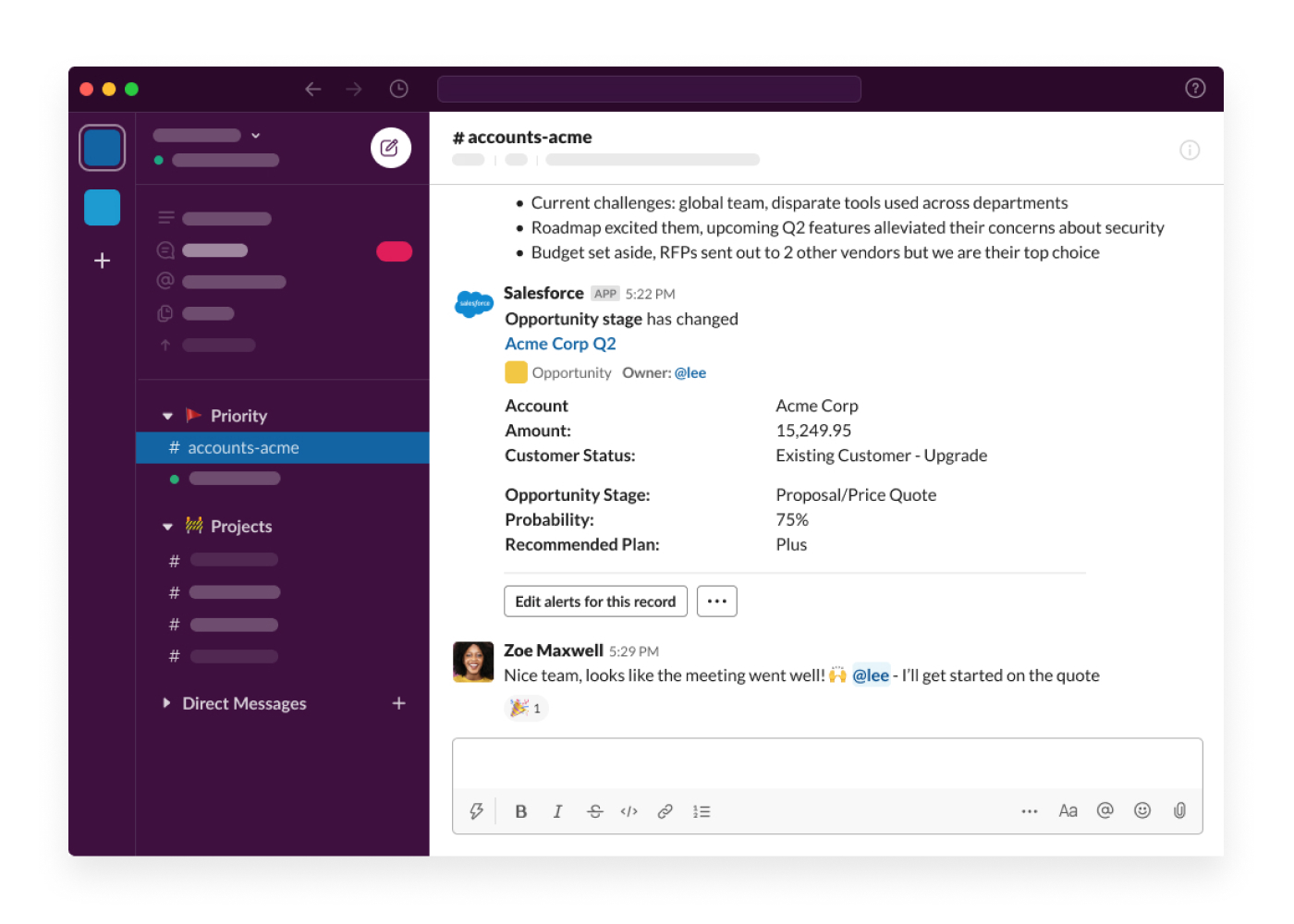

When this automation exists, clients don’t quietly fade away. Every usage drop triggers a conversation early enough to fix the problem.
The Controversial Truth: Most Companies Monitor the Wrong Metrics
Companies love monitoring vanity metrics:
- Monthly active users
- Workspace count
- Page views
- Signup volume
None of these indicate health.

Retention automation needs leading indicators, not lagging ones. Most organizations only track lagging metrics because they’re easier. But lagging metrics reveal churn only after it already happened. Too late.
What actually predicts churn?
- Drop in core feature usage
- Reduced session duration
- Decline in collaborative activity
- Inconsistent login patterns
- Sudden stop in expansion behavior
- Fewer API calls or automation executions
- Dormant admin accounts
And the strongest predictor?
When the top three activities a client normally performs decrease simultaneously. It’s the behavioral equivalent of a flatlining monitor.
Setting Up Automated Usage Threshold Alerts (Slack-Centric Workflow)
Let’s talk operation, not theory. How do you actually automate churn detection in a usable way?
The most practical architecture looks like this:
| Step | 🔧 Function | 🎯 Purpose |
|---|---|---|
| 1 | Pull product usage data (API/warehouse/logs) | Establish baseline + real-time snapshot |
| 2 | Compare against threshold | Detect drop or anomaly |
| 3 | Evaluate severity | Decide whether to alert |
| 4 | Trigger Slack message | Notify CSM and relevant channels |
| 5 | Log the event | Track retention risks systematically |
At this point, some companies try to build the entire system inside BI dashboards. That’s a mistake. Dashboards are passive. Slack is active.
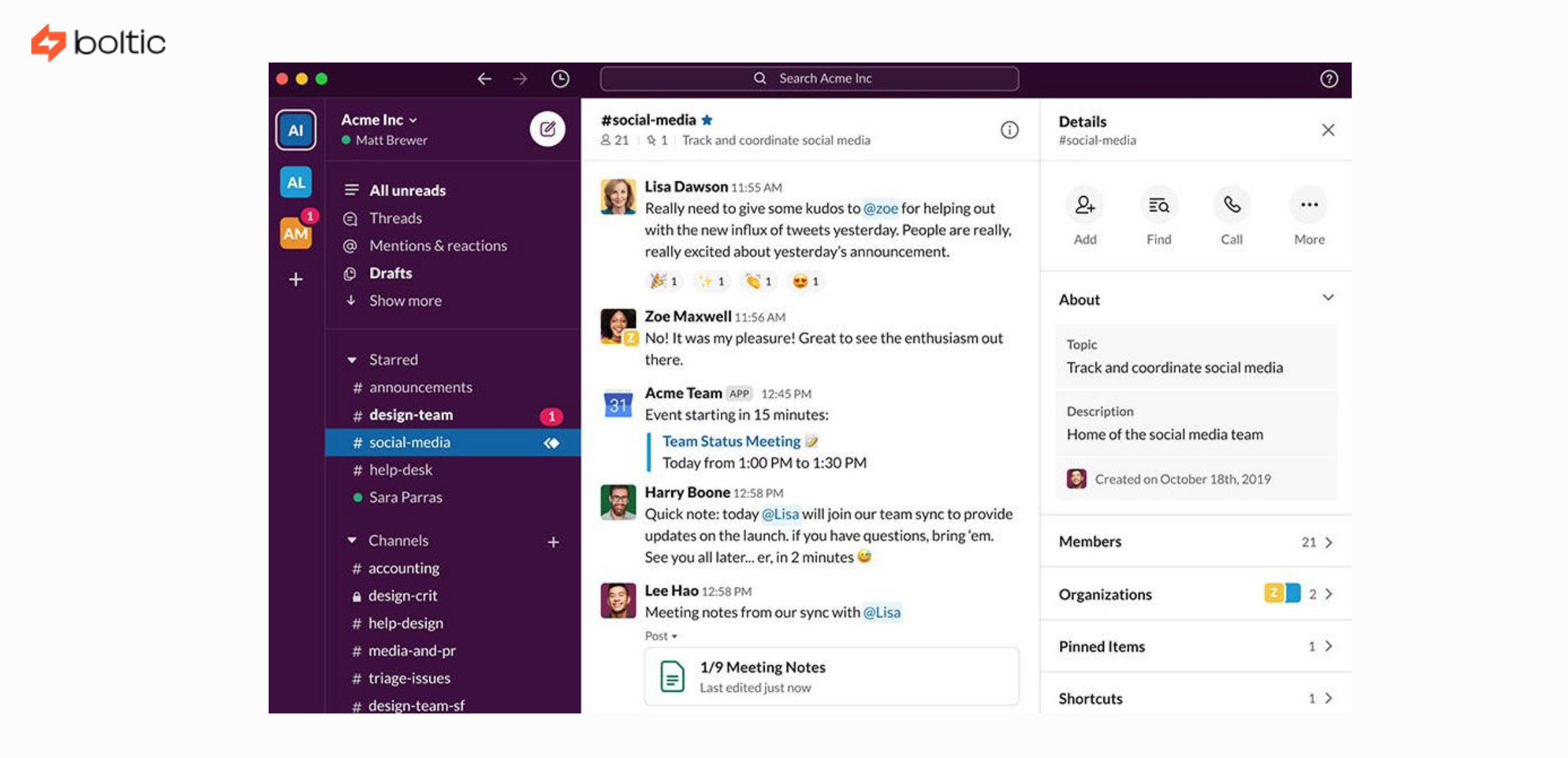
Why Slack Is the Best Medium for Churn Alerts
You can’t ignore Slack. You can ignore dashboards.
CSMs are already in Slack. Sales is already in Slack. Leadership lurks there too. When a client risk alert appears, people respond. Fast.
An ideal Slack alert includes:
- Client name
- Account tier
- Declining metrics
- Baseline vs current usage
- Severity score
- Recommended action
- Link to CRM record
If the alert doesn’t give context, it becomes noise. If it gives too much context, it overwhelms. The middle is where action happens.
The Psychology of Retention Alerts
There’s an emotional layer no one likes to acknowledge. Real-time churn detection eliminates the anxiety CSMs feel about what they might be missing. It shifts their role from reactive firefighter to proactive strategist.
When CSMs know the system is watching for them, their mental load decreases — ironically improving human performance. Automation doesn’t replace judgment; it enhances it by removing blind spots.
Example Scenario: When Alerts Save a High-Value Client
A workspace of 120 users typically logs 200 automation tasks a day. Suddenly that drops to 70. Slack alert fires:
“⚠️ Usage Drop for Acme Corp — down 65% compared to baseline.
Core feature engagement down 72%. Admin login missing for 4 days.”
CSM checks in with the admin. Turns out a new internal system integration broke over the weekend. They fix it within hours. Usage returns to normal the next day.
Without the alert?
Admin might not notice for weeks.
Renewal conversation becomes risky.
Competitors slip in.
Churn probability skyrockets.
Automation didn’t fix the problem.
Automation revealed the problem early enough to fix.
A Reality Check: Automation Won’t Save Bad Product-Market Fit
Here’s the inconvenient truth: churn detection automation prevents preventable churn. It does not prevent structural churn. If your product isn’t delivering value, no Slack alert can compensate.
But what automation does do is separate “fixable” churn from “fundamental” churn. That distinction alone is worth millions in annual recurring revenue for most SaaS organizations.
Building the Threshold Logic: The Secret Ingredient
Thresholds need nuance. Most companies get this spectacularly wrong.
If you set thresholds too low, you’ll drown in alerts. Too high, and you’ll miss early warning signs.
The best models account for:
- Historical baselines
- Relative percentage drops
- Absolute usage minimums
- Seasonal patterns
- Expansion vs contraction signals
Sophisticated retention automation often moves beyond static thresholds and into dynamic, baseline-adjusted models.
A Final Thought
Customer retention automation doesn’t replace conversations; it creates better ones. It surfaces risks when they’re still reversible. It empowers CSMs to act with certainty rather than guesswork. And, most importantly, it stops revenue leakage before it becomes visible on financial reports.
So here’s the question every SaaS leader should be confronting right now:
If your system isn’t watching for early churn signals in real time, how many clients are already drifting away without anyone noticing?