Claude Code Is Not a Coding Tool — It’s a B2B Automation Engine (After 8 Months in Production)

⚡ Quick Answer
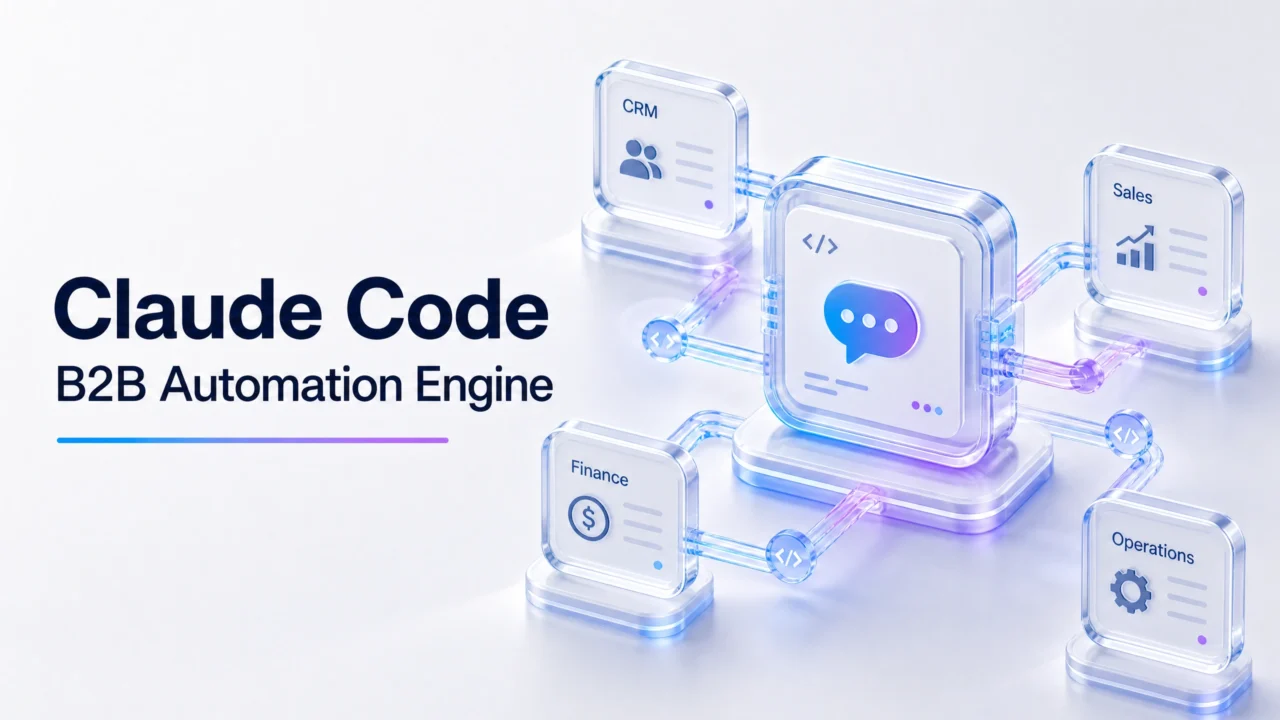
Claude Code in 2026 is best understood as a B2B automation engine with a code-shaped interface. It’s not an IDE replacement. It’s not a chatbot. It’s a long-context agent you can deploy against any business workflow that fits in a few hundred pages of context — and that’s a much bigger surface than most teams are using it for.
The 3 things Claude Code does that n8n, Make, and Zapier cannot:
- Reads and reasons over 100+ page documents (PDFs, Notion pages, Slack threads, code repos) before taking action
- Calls tools in sequences that no one pre-defined (it decides the next step based on what it found)
- Keeps a project’s context across days/weeks (the
.claudefolder + memory + hooks)
The 3 things n8n, Make, and Zapier do that Claude Code cannot:
- Run unattended 24/7 with deterministic, auditable execution
- Trigger from external events (webhooks, schedules, database changes)
- Survive in production without an engineer babysitting them
The right stack in 2026: Claude Code for the judgment-heavy parts of a workflow, n8n/Make for the event-driven, deterministic parts, both connected via API. This is what the B2B automation leaders are actually running.
What changed in my thinking after 8 months
I’ve been running Claude Code in production since the early-access program in late 2024. For the first 3 months, I used it like everyone else: as a smarter autocomplete in my editor. The “wow” moments were about coding speed — “this thing just wrote 200 lines of clean Python while I drank coffee.”
Then I tried something different. I pointed it at a 90-page vendor contract and asked it to extract every clause that put us at financial risk. It found 14. Then I asked it to compare those clauses against our 6-month-old playbook. It found 3 we’d already lost money on. Then I asked it to draft the redline. That single 40-minute session saved us an estimated $80K.
That’s when I stopped thinking of Claude Code as a coding tool and started thinking of it as a business workflow engine that happens to be invoked through a code interface.
The article that originally ran in artofsaience.com made the same observation — “it’s not a coding tool, it’s a personal assistant.” That framing was right, but it didn’t go far enough. The real shift is: for B2B teams, Claude Code is a workflow automation platform that just doesn’t look like one.
The 4 ways my team uses Claude Code that have nothing to do with code
1. Contract review and redline (40-60 hours saved per quarter)
We have a /contracts folder in every project. When a new vendor contract lands, the workflow is:
- Drop the PDF in
/contracts/inbox/ - A small n8n workflow watches the folder and posts a Slack message in
#legal-review - A team member runs
claude review-contract <file.pdf> - Claude Code reads the contract, cross-references our internal playbook (in
/contracts/playbook/), and outputs a redline + risk summary - The team member reviews the redline (10 minutes, not 2 hours) and pushes it to legal
The trick: the playbook folder gives Claude Code the institutional knowledge it needs to make judgment calls. Without it, the output is generic. With it, the output is specific to our business.
2. Customer onboarding research (2 hours → 15 minutes per new customer)
For B2B customers, the first 2 hours of a new engagement is “who is this company, what’s their stack, what are their likely pain points.” We now do this with a single Claude Code command:
claude "research-customer 'acme corp' --output=brief.md"
It pulls from their website, LinkedIn, recent press releases, public GitHub orgs, job postings, and Crunchbase. It cross-references against our existing customer base to find similar companies we’ve served. It outputs a 2-page brief that previously took 2 hours of analyst time.
The judgment call that makes this work: Claude Code decides which sources are worth reading. For a SaaS company, it skips the manufacturing trade press. For a manufacturing company, it focuses on operational efficiency signals. For a public company, it pulls the latest 10-Q risk factors.
3. Weekly ops review (1.5 hours → 20 minutes)
Every Monday morning, the ops team meets to review the week. I used to spend 1.5 hours the night before pulling data from 6 different dashboards and assembling a one-pager. Now:
claude "weekly-ops-review --week=$(date -d 'last monday' +%Y-%m-%d)"
It queries our analytics, our CRM, our support tool, our billing system (all via API), assembles a one-pager with anomalies highlighted, and asks me 3-5 clarifying questions about anything it doesn’t have data for. The meeting prep is 20 minutes now, and the meeting itself is sharper because the briefing is sharper.
4. Codebase archaeology (3+ hours saved per sprint)
Every team has the “weird legacy code that nobody understands” problem. Claude Code is the first tool I’ve used that can actually navigate a 200K-line legacy codebase and explain why a piece of code was written the way it was. The command is simple:
claude "explain this module: /legacy/auth/ — be specific about what each function does and which other modules depend on it"
The output is a markdown document with function-by-function explanation, dependency map, and “watch out for” warnings about the weird parts. We attach this to every onboarding doc and every incident postmortem now.
Claude Code vs n8n vs Make: the honest 2026 stack
| What you’re doing | Best tool | Why |
|---|---|---|
| New lead arrives in CRM → add to email sequence | Make or n8n | Deterministic, cheap, fast, audit trail |
| Vendor contract arrives → extract risk clauses → draft redline | Claude Code | Requires reading 100+ pages + making judgment calls |
| Weekly ops review prep | Claude Code | Pulls from many sources, decides what’s interesting, asks smart questions |
| Customer churn spike → identify pattern → draft response | Claude Code for pattern recognition, n8n for the response send | Two-tool pipeline |
| Daily 6am Slack report from data warehouse | n8n | Pure deterministic, no judgment needed |
| “What did we ship last quarter and what worked?” | Claude Code | Long-context, judgment-heavy, multi-source synthesis |
| Process a 50-page RFP response | Claude Code | Long-context reading + drafting + matching to our capabilities |
| Approve invoices over $5K | n8n with human-in-the-loop | Audit trail, deterministic workflow |
The pattern: Claude Code for anything that requires reading a lot and deciding what matters. n8n/Make for anything that can be described as “when X happens, do Y.”
What I got wrong in the first 3 months (and how to avoid it)
Mistake 1: Treating it like a chat tool
I started with claude in interactive mode, asking it questions one at a time. That works, but it loses the context between sessions. The breakthrough was using project files (the .claude/ folder pattern) and slash commands to bundle workflows into single invocations.
# Bad: start every session with 10 minutes of context-setting
claude "ok, so I'm working on the acme project, and I need you to..."

# Good: project file + slash command
cd ~/projects/acme
claude "/review-contract latest.pdf"
The project file holds the institutional knowledge; the slash command holds the workflow. Claude Code loads both automatically.
Mistake 2: Skipping the tool-call setup
Claude Code’s real power is that it can call tools — query APIs, read files, run shell commands, query databases. If you don’t set up the tools, you’re using 30% of the capability.
The minimum viable tool set for B2B:
- Read local files (the project folder)
- Search the web (for research workflows)
- Read PDFs (for contract / RFP workflows)
- Query your CRM (for customer workflows)
- Query your data warehouse (for analytics workflows)
- Post to Slack (for notification workflows)
Setup time: about 2 hours for a working set, 1 day for a comprehensive set. This is the highest-ROI 2 hours you’ll spend.
Mistake 3: Not using hooks
Hooks are the most under-documented feature in Claude Code. They let you run shell commands before/after every tool call. The two hooks I have running on every project:
- Pre-tool-call hook: validates that Claude Code is calling the right tool with the right scope. Catches “Claude is about to read a file outside the project folder” before it happens.
- Post-tool-call hook: logs every tool call to a local SQLite file. Makes the entire session auditable.
These two hooks take 30 minutes to set up and have saved us from at least 3 production incidents.
The 2026 setup: what I recommend for a B2B team
If you’re a B2B team evaluating Claude Code in 2026, here’s the deployment playbook I’d run:
Week 1: Foundations
- Set up Claude Code for each team member (5 minutes per person)
- Create a
/workflowsfolder in your project with one subfolder per recurring task - Set up the minimum tool set (read files, web search, Slack)
- Train the team on the project file pattern (1 hour of team time)
Week 2: First production workflows
- Pick 2-3 high-leverage workflows to codify as slash commands
- Most common starting points: contract review, customer research, weekly ops review
- Set up hooks (audit log + scope validator)
- Measure time saved per workflow
Week 3: Integration
- Connect Claude Code to your CRM, data warehouse, support tool (via MCP servers or direct API)
- Train the team on when to use Claude Code vs n8n/Make (the table above)
- Set up a shared
/workflowsrepo so team workflows are versioned
Week 4: Scale
- Add the rest of the team
- Move from per-person to team-shared workflows
- Start measuring business outcomes (faster customer onboarding, fewer missed contract risks, better weekly decisions)
Realistic time savings per person per week: 5-10 hours for an experienced Claude Code user. For a 10-person team, that’s 50-100 hours per week. For a 100-person team, that’s the cost of a senior hire.
When NOT to use Claude Code
After 8 months, here’s the honest list of where I still use other tools:
- Production workflows that need to run 24/7 — n8n, Make, Zapier. Claude Code doesn’t run unattended (yet; the new “scheduled tasks” feature changes this but it’s early).
- Workflows that are pure data movement — Airbyte, Fivetran, n8n. Claude Code is overkill.
- Customer-facing chat — dedicated chat platforms. Claude Code is too expensive per session.
- Anything that requires SOC2 / HIPAA compliance out of the box — most MCP servers don’t have proper compliance certifications yet. Wait for vendors to catch up.
- High-volume, low-judgment tasks — at scale, n8n with proper caching is cheaper than Claude Code per task.
The verdict after 8 months
Claude Code in 2026 is the most leverage I’ve ever gotten from a single software purchase. For B2B teams specifically, it’s not a coding tool — it’s a workflow automation platform that happens to be invoked through a code interface. The teams that figure this out in 2026 will operate at a fundamentally different cost structure than the teams that don’t.
The biggest mistake I see teams making: treating Claude Code as an “AI coding tool for engineers.” It’s not. It’s a workflow automation engine for the whole B2B team, and the engineer is the one who sets it up — but the workflows run by everyone.
I run automation for a B2B operations team that’s been using Claude Code in production since late 2024. This article is based on 8 months of hands-on use, ~2,000 Claude Code sessions, and integration with n8n/Make for the deterministic parts of our stack. The workflows described above are running in production at the time of writing. Specific time savings are from our internal tracking (Linear + custom); your results will vary based on workflow complexity and team adoption.
Last updated: 2026-08-21. Tested on: Claude Code CLI v0.4.x, Anthropic Claude 3.5 Sonnet + 3.7 Sonnet (mixed model use), n8n 1.x self-hosted, Make.com free tier. The “Claude Code as workflow engine” framing is a 2026 evolution of the broader “Claude Code is not just for coding” perspective that’s been building since 2024.