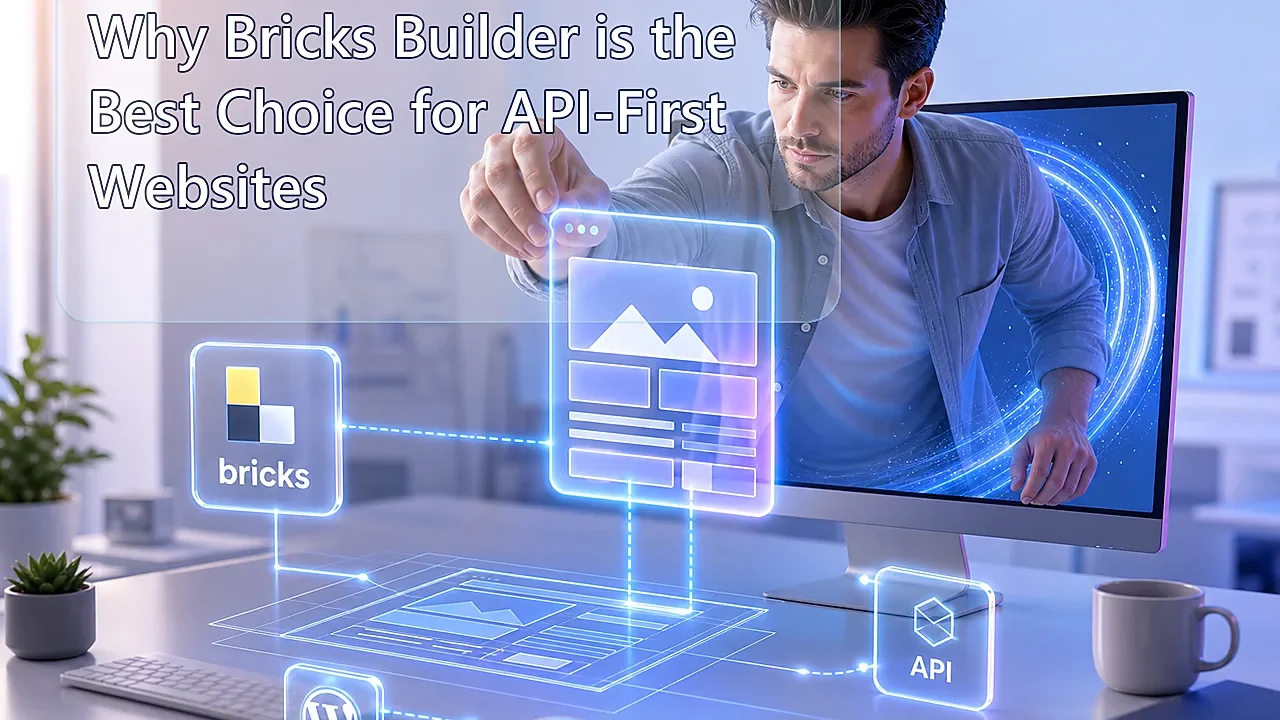
Why Bricks Builder is the Best Choice for API-First Websites

Last Updated on September 13, 2026 by Triumphoid Team
⚡ TL;DR
If your website depends on APIs, structured content, custom fields, and external data sources, Bricks Builder is one of the smartest WordPress choices you can make. The big reason is not hype. It is architecture. Bricks gives you leaner HTML, a stronger class-based workflow, serious dynamic data, and a flexible Query Loop system that is much closer to how developers actually think about data-driven websites. Native Bricks handles WordPress objects cleanly, and if you need external JSON feeds in loops, you can bridge them either through custom PHP-powered queries or tools like Bricksforge API Query Builder. That combination makes Bricks unusually good for API-first builds. :contentReference[oaicite:0]{index=0}
There is a lazy way to choose a page builder, and then there is the grown-up way.
The lazy way is picking the one with the loudest ecosystem and the biggest pile of add-ons. The grown-up way is asking a much harsher question: what happens when your site stops being a brochure and starts behaving like an application? Product feeds. job listings. comparison tables. synced reviews. events. inventory snapshots. pricing blocks. external APIs. custom post types. repeaters. filtered archives. Suddenly, your “page builder” is not really a design toy anymore. It is a rendering layer for data.
That is exactly why Bricks has become such a strong choice for API-first websites. Its current query system is built around WordPress objects like posts, terms, and users, its dynamic data model is deeply tied into WordPress fields and templates, and its overall frontend output is usually much leaner than the bloated wrapper stacks that made older builders infamous. On top of that, large DOM trees hurt interactivity, which is not some abstract Lighthouse obsession but a real browser cost. :contentReference[oaicite:1]{index=1}
What bricks builder dynamic data really means
Bricks Builder dynamic data means you can bind design elements directly to content fields and query results instead of hardcoding values into templates. In Bricks, dynamic data works across text, images, links, templates, custom fields, archive contexts, and looped content, which is exactly what you want when your website is driven by structured data instead of static page copy. :contentReference[oaicite:2]{index=2}
That sounds basic until you start building sites that pull in hundreds or thousands of changing records. Then it becomes the entire game. If the builder handles dynamic fields clumsily, your API-first site turns into a patchwork of shortcodes, duct tape, and late-night profanity. If the builder handles them cleanly, you get reusable templates, predictable loops, and far less editorial chaos.
Why Bricks fits API-first architecture better
| Requirement | Why API-first sites need it | Why Bricks fits well |
|---|---|---|
| Lean frontend output | API-heavy sites already do enough work in the background | Bricks is known for cleaner markup and fewer wrapper-heavy layouts |
| Dynamic field rendering | External and structured content must flow into reusable templates | Dynamic data is built into the builder rather than bolted on awkwardly |
| Loop flexibility | Lists, cards, grids, and archives depend on repeatable query logic | Bricks Query Loop handles posts, terms, and users, plus PHP query customization |
| Class-based styling | API-driven sites often scale across many templates and states | Bricks encourages reusable classes instead of endless one-off widget styling |
| External JSON strategy | Many modern sites need to surface third-party data | Bricks can be extended cleanly via PHP or Bricksforge’s API Query Builder |
This is the part many reviews miss. Bricks is not just fast-ish. It is structurally more comfortable around data. Its official query loop is designed around WordPress query objects, and Bricks 1.9.1 added a PHP query editor for custom query logic. That matters because once you can inject custom query behavior, the builder stops being only a visual layout tool and starts becoming a much more serious rendering shell for complex content systems. :contentReference[oaicite:3]{index=3}
DOM size comparisons
Now the fun part. Or the uncomfortable part, depending on how attached you are to div soup.
Google’s own guidance on DOM size is blunt: large DOMs make interactivity worse because the browser has more structure to parse, style, recalculate, and paint. That means DOM size is not cosmetic. It is operational. API-first sites often render long lists, cards, filters, tabs, and dynamic sections, so builder bloat hurts them faster than it hurts a five-section brochure site. :contentReference[oaicite:4]{index=4}
In one 2026 Bricks vs Elementor benchmark on an identical landing-page style setup, Bricks produced 32 DOM nodes versus Elementor’s 84. In another like-for-like hero-section comparison, Bricks produced 9 DOM nodes versus Elementor’s 21. Neither of those numbers should be treated like divine law, because page design changes everything, but the pattern is the point: Bricks consistently tends to output a leaner DOM for the same visual result. :contentReference[oaicite:5]{index=5}
| Comparison scenario | Bricks DOM nodes | Other builder DOM nodes | What that tells you |
|---|---|---|---|
| Landing-page benchmark | 32 | 84 | Bricks rendered a much leaner structure for the same test build |
| Simple hero section | 9 | 21 | Bricks again used fewer wrappers and shallower markup |
| General rule for API-first builds | Depends on layout | Depends on layout | The more repeated dynamic sections you render, the more wrapper bloat starts to punish performance |
This matters for API-first websites because repeated cards multiply structural inefficiency. If your product feed renders 100 cards and each card carries five or ten unnecessary wrappers, your builder choice stops being aesthetic and starts becoming a browser tax.
Native Bricks loop builders: what they do well
Bricks’ native Query Loop is available on layout elements, accordions, sliders, and several nestable elements. Officially, it supports three core object types: posts, terms, and users. It also supports a PHP query editor so you can build custom query arguments dynamically. That combination is strong for WordPress-native data structures such as custom post types, taxonomies, filtered archives, authors, and ACF-backed content systems. :contentReference[oaicite:6]{index=6}
That is why Bricks feels so comfortable on API-first builds that sync external data into WordPress first. Once your API payload lands in a CPT, Bricks becomes very elegant. Query the CPT. Loop the cards. Bind the fields. Done. Fast enough. Clean enough. Easy to maintain.
Important caveat: native Bricks is not a raw external JSON loop engine
This is where the market gets sloppy, so let’s clean it up.
Out of the box, native Bricks does not present external API endpoints as a first-class loop source the way it handles posts, terms, and users. Its official query loop is WordPress-query centric. So if someone tells you Bricks natively loops arbitrary REST JSON like magic, that is not the clean truth. The real choices are either: sync API data into WordPress objects first, write custom PHP around the query layer, or extend Bricks with something purpose-built such as Bricksforge’s API Query Builder. :contentReference[oaicite:7]{index=7}
That is not a weakness so much as a design boundary. And honestly, it is a healthy one. For serious websites, blindly rendering third-party data live on every page load is not always the smart move anyway.
Example 1: mapping a JSON feed into Bricks loop builders via CPT sync
This is the most stable production pattern.
Let’s say you have an external JSON product feed from a SaaS catalog, job board, event platform, or affiliate API. Instead of hitting that API on every frontend request, you fetch the feed on a schedule, map the records into a custom post type, store the important fields in post meta or ACF, and then let Bricks query those CPT entries natively. Bricks is excellent at this pattern because its loop builder already understands WordPress content objects well. :contentReference[oaicite:8]{index=8}
| JSON field | Map to WordPress | Bricks dynamic output |
|---|---|---|
name | Post title | Heading element bound to post title |
description | Custom field / post content | Text element with dynamic field |
image | Featured image or image field | Image element using dynamic data |
price | ACF numeric field | Price label inside loop card |
category | Custom taxonomy | Badge or filter label in loop item |
product_url | Custom link field | Button bound dynamically to outbound link |
That workflow is less sexy than “live API everything,” but it is usually the correct choice for SEO, caching, archive control, and fallback resilience. If the upstream API has a bad day, your site does not need to have one too.
Example 2: mapping JSON feeds directly into Bricks loop builders with Bricksforge
If you genuinely want the loop to consume external JSON more directly, Bricksforge’s API Query Builder is currently one of the most practical routes. Its docs explicitly say you can connect external APIs, use custom JSON, create automatic dynamic data tags, and even select the endpoint inside Bricks Builder query loops as if it were another query source. It also supports optional CPT synchronization, which is smart because sometimes direct loading is useful and sometimes caching into WordPress is the adult decision. :contentReference[oaicite:9]{index=9}
A simple JSON feed for a reviews widget might look like this:
[
  {
    "id": 101,
    "title": "Scale Platform Review",
    "score": 4.8,
    "summary": "Fast onboarding, good API coverage, clean reporting.",
    "logo": "https://example.com/logo1.png"
  },
  {
    "id": 102,
    "title": "Another SaaS Review",
    "score": 4.3,
    "summary": "Better UX than expected, weaker docs.",
    "logo": "https://example.com/logo2.png"
  }
]
Inside that setup, the mapping flow is straightforward:
| Step | Action | Result inside Bricks |
|---|---|---|
| 1 | Register the API endpoint or paste custom JSON in Bricksforge | The response becomes available as a queryable source |
| 2 | Enable automatic dynamic data tags | Fields like title, score, summary, or logo become insertable in elements |
| 3 | Select that API source in a Bricks loop | The container repeats once per JSON item |
| 4 | Bind text, image, and links to the generated tags | Your loop builder becomes a live external-data layout |
This is where Bricks becomes particularly interesting. It does not need to pretend to be a headless frontend framework to be useful for API-first work. It just needs a sane bridge between data and layout. With the right extension or sync pattern, it gets there very nicely.
Example 3: custom PHP bridge for JSON into a Bricks loop
If you want more control and less plugin dependency, you can build a PHP bridge that fetches JSON, normalizes the data into a temporary array or synchronized WordPress object set, and then lets Bricks render it through custom query logic. Bricks’ PHP query editor exists specifically because some builds need more than the GUI query controls provide. :contentReference[oaicite:10]{index=10}
The blunt truth, though: this route is best for developers who actually want to own the data layer. If that sounds exciting, great. If it sounds exhausting, sync the API to CPTs and move on with your life.
Why Bricks beats wrapper-heavy builders for API websites
API-first websites are often not visually complicated in the same way agency demo sites are. They are structurally complicated. They need repeaters, cards, tabs, filters, conditionals, taxonomies, template inheritance, and field mapping. That means the builder that wins is usually the one that stays out of the way.
Bricks tends to win that fight because its markup is leaner, its styling model is more class-oriented, and its dynamic-data story is much closer to a structured-content workflow than a widget carnival. Even external benchmark pieces that should be taken as directional rather than absolute still keep landing in the same place: Bricks usually ships with less frontend baggage and a lighter DOM than the heavier plugin builders people are used to. :contentReference[oaicite:11]{index=11}
🛠 Pro-Tip
If the JSON feed matters for SEO, archive behavior, internal search, or filterable taxonomy pages, do not render it live on every request just because you can. Sync it into a custom post type, store the important fields locally, and let Bricks query WordPress natively. You will get more stable caching, cleaner indexable URLs, and far less pain when the external API rate-limits or fails.
What docs don’t tell you
Bricks is excellent with structured data, but it is not natively a universal API frontend. That sounds obvious once said out loud, yet a lot of people buy into fantasy workflows where any external JSON feed should instantly behave like a native WordPress loop source. Reality is messier. You usually need either synchronization, a bridge layer, or an extension.
DOM efficiency matters more on repeated dynamic layouts than on simple pages. A bloated builder might look acceptable on a one-off landing page, then quietly fall apart on archive templates or filter-heavy content hubs because every card multiplies wrapper depth.
The cleanest API-first setup is often boring. Fetch data. normalize it. cache it. map it to fields. query it natively. Designers sometimes want the magic version. Operators usually end up preferring the version that does not wake them up later.
Our experience with bricks builder dynamic data
Our experience with bricks builder dynamic data is that Bricks feels best when the site has a real content model behind it. Not “here are twelve random landing-page sections.” A model. Listings. repeaters. taxonomies. metadata. relationships. cards. templates. archives. API-fed objects. That is where Bricks starts to look less like a page builder and more like a proper presentation layer for structured WordPress content.
The biggest mistake people make is trying to force every external feed into a fully live rendering pattern because “API-first” sounds modern. Sometimes that is correct. Often it is not. The better architecture is usually to control the data locally, then let Bricks do what it is already very good at: query WordPress objects cleanly and render them with less structural nonsense than the usual builder suspects.
And that is really the heart of the argument. The best builder for an API-first site is not the one with the most widgets. It is the one that keeps the layout layer lean, the dynamic layer sane, and the data layer flexible enough that your site still behaves like a website rather than a fragile demo hooked to five anxious endpoints.
The uncomfortable question is whether your current builder is helping your structured content system scale, or whether it is just adding one more abstraction layer between your data and the HTML your visitors actually have to download.