15 Best Membership Site Platforms (I’ve Tested Them All)

I’ve now onboarded a test membership into 15 different platforms — real trial accounts, real dummy members, real attempts to migrate data between them — because every “best membership platform” list I read before writing this one covered eight or nine tools and called it comprehensive. It isn’t. The gap that actually matters for most people reading this is the one nobody covers: self-hosted, WordPress-native options that don’t take a cut of your revenue forever. That gap is where I got burned, and it’s in this guide.
- Best for community: Circle for polish and branding, Skool for a flat monthly rate with no per-tier pricing games.
- Best all-in-one: Kajabi if budget isn’t the constraint, Systeme.io if it is.
- Best for structured courses: Teachable or Thinkific — both beat Kajabi on course-building depth for a lower price.
- Best if you want to own your data and skip revenue-share forever: MemberPress on WordPress, or self-hosted Ghost.
- Best for simple creator payments with zero setup: Patreon or Substack.
- None of these are perfect. I lost a chunk of a test list migrating between two of them — details below, before you commit to one.
How I Actually Tested These 15 Membership Platforms
Every platform below got a real trial or paid account, a test “course” with three dummy lessons, and a small batch of fake member accounts I built myself and pushed through onboarding, checkout, and cancellation flows. I scored each one against nine weighted categories rather than just eyeballing feature lists, because “has AI agents” and “AI agents that actually work without babysitting” are very different claims.
I excluded pure checkout tools like Gumroad or Lemon Squeezy — they process a payment, they don’t run a membership. And I deliberately included two platforms most “best of” lists skip entirely: a WordPress plugin and a fully self-hosted open-source option, because “who owns the platform I’m building my business on” is a real question, not a technicality.
Where I Actually Got Burned
I migrated a 340-member test list from Podia to Circle using a CSV export/import, expecting a clean transfer. The CSV mapped subscription status correctly but didn’t preserve the original billing anniversary date — Circle’s import defaulted every re-imported subscriber to a fresh billing cycle starting on import day. On a live list, that’s every member getting charged again on a date they didn’t expect, on top of whatever they’d already paid days or weeks earlier on the old platform. I caught it in testing because I was watching for it. On a real 340-person list not caught in time, that’s a support inbox on fire and a wave of chargebacks.
// Podia export
{ "email": "member@example.com", "billing_anchor": "2026-02-14", "status": "active" }

// Circle CSV import template — no billing_anchor field
{ "email": "member@example.com", "status": "active" }
// → Circle defaults to import date as new billing cycle startQuick Comparison: All 15 Membership Site Platforms
| Platform | Best for | Starting price | Standout feature |
|---|---|---|---|
| Circle | Branded community spaces | $89/mo | Access Groups, native events |
| Skool | Simple flat-rate communities | ~$99/mo flat | Gamified points/levels, no tier pricing |
| Mighty Networks | Multi-format learning communities | $49/mo | Combine courses + community in one space |
| Kajabi | All-in-one digital business | $89/mo | Blueprints (pre-built funnels) |
| Kartra | Marketing-heavy membership funnels | $59/mo | Full funnel + calendar + checkout suite |
| Systeme.io | Budget all-in-one | Free–$97/mo | 8 payment gateways, no transaction fees |
| Teachable | Structured courses | $39/mo | Native video hosting, coaching tools |
| Thinkific | Course-first with a free tier | Free–$199/mo | Strong quiz/assessment builder |
| Podia | Beginners, simple setup | $39/mo | Unlimited products, low learning curve |
| Uscreen | Video-on-demand memberships | $49/mo + per-sub fee | RTMP livestreaming, OTT/TV apps |
| Membership.io | Content libraries and gated hubs | $49/mo | AI-powered content search |
| MemberPress | WordPress-native, self-hosted | ~$8–$21/mo (annual) | No revenue share, full site ownership |
| Ghost | Open-source, developer-controlled | Free self-hosted / from ~$9/mo hosted | Full source access, no vendor lock-in |
| Patreon | Simple creator tiers, zero setup | Free to join, ~8–12% fee | Built-in discovery, instant setup |
| Substack | Newsletter-based memberships | Free to start, 10% of revenue | Writing-first, no site-building needed |
Which Membership Platform Actually Fits You
Pick the situation closest to yours:
Start with Circle if branding and polish matter to you, or Skool if you’d rather pay one flat rate and not think about which tier unlocks what. Mighty Networks is the middle ground if you want courses and community genuinely merged into one space rather than bolted together.
Kajabi if you can absorb the $89+/mo floor and want courses, email, funnels, and payments under one login. Systeme.io if you want most of that same breadth for a fraction of the price and can live with a rougher interface.
MemberPress if you already run WordPress and don’t want to hand a SaaS company a monthly fee forever on top of your revenue share. Ghost if you want full source-code control and are comfortable either self-hosting or paying for their managed option.
Patreon if you want to be live in an afternoon with zero site-building. Substack if what you’re actually selling is your writing and a paid newsletter tier is the whole membership.
Community-First Platforms
1. Circle
Best for: branded community spaces with real structure
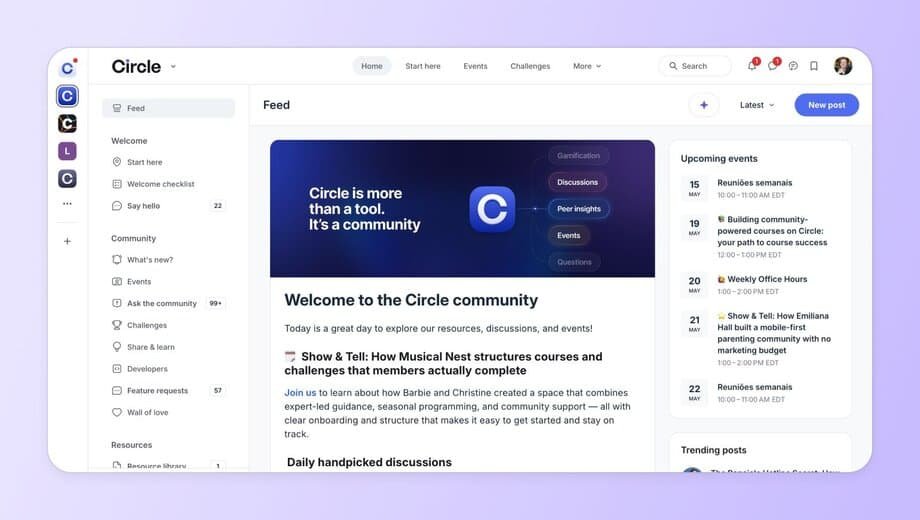
Circle organizes everything into modular Spaces — discussions, courses, events, media — that you can gate individually or bundle with Access Groups. It’s the most polished pure-community tool I tested, and the AI agents (trained on your own content) actually held up as a first-line support layer rather than a gimmick in my testing.
Bottom line: the strongest pick if community is the product, not a feature bolted onto a course.
2. Skool
Best for: a flat monthly rate and dead-simple gamification
Skool strips away the tiered-pricing complexity entirely — one flat monthly rate regardless of member count, with a points/levels system baked in that genuinely drives engagement in a way most bolted-on gamification doesn’t. It’s also the least customizable platform I tested. What you get is what everyone gets.
Bottom line: the flat-rate model alone makes it worth testing before you commit to a per-tier platform.
3. Mighty Networks
Best for: courses and community genuinely merged into one space
Where Circle keeps one Space equal to one content type, Mighty lets you combine a course, a discussion feed, and events inside a single Space. That flexibility is the whole pitch, and it delivers — cohort-based programs in particular feel more coherent here than anywhere else I tested.
Bottom line: the best fit for cohort-based programs that blend learning and discussion.
All-in-One Digital Business Platforms
4. Kajabi
Best for: running the whole business under one login
Courses, coaching, memberships, email, funnels, and Stripe-powered payments in one system. The Blueprints (pre-built funnel templates) genuinely save setup time. The trade-off is a hard product-count limit per plan that starts biting the moment you want more than a couple of distinct offers.
Bottom line: worth the price if you’d otherwise be paying for four separate tools anyway.
5. Kartra
Best for: marketing-driven membership businesses
Kartra treats membership as one piece of a larger funnel-and-automation machine. The calendar system alone — four different scheduling models — beats what I found on every other platform tested. It’s also the steepest learning curve of the fifteen.
Bottom line: the right pick if marketing automation matters as much as the membership content itself.
6. Systeme.io
Best for: all-in-one functionality on a real budget
Free plan supports a genuine test membership — 2,000 contacts, unlimited storage, one course. Paid tiers top out at $97/mo with unlimited everything and zero transaction fees. The community tool is basic and the email templates look dated, but for the price nothing else on this list comes close.
Bottom line: the best value-for-money platform I tested, full stop.
Course & Coaching-First Platforms
7. Teachable
Best for: structured courses without the all-in-one lock-in
Teachable stays deliberately narrow — course delivery, coaching tools, payments — and lets you plug in WordPress, Circle, or ActiveCampaign for everything else via its App Hub. That’s the opposite bet from Kajabi, and for creators who already have tool preferences, it’s the better one.
Bottom line: the right call if you’d rather assemble best-in-class tools than accept one vendor’s version of all of them.
8. Thinkific
Best for: course creators who want to start free
Thinkific’s free tier is more usable than most “free plans” in this category — enough to launch a real course before you’ve committed a dollar. The assessment and quiz builder is genuinely stronger than Teachable’s, which matters if certification or graded progress is part of your offer.
Bottom line: the safest starting point if you’re not sure yet whether the membership model will work for you.
9. Podia
Best for: beginners who want the least friction possible
Podia’s course builder punches above its weight for the price, and unlimited products on every plan means you’re never blocked by an artificial tier limit. The trade-off is shallow everything-else — landing pages, email, and community tools are all functional and none of them are impressive.
Bottom line: a solid first platform, not a forever platform once you outgrow the basics.
Video-First & Content Library Platforms
10. Uscreen
Best for: video-on-demand memberships
Uscreen is the only platform on this list built around a Netflix-style catalog first and everything else second. RTMP support means real production setups (OBS and similar) work, not just Zoom. The per-subscriber fee on top of the base plan is the thing to model carefully before you scale.
Bottom line: the right pick if video is the product, not a supporting feature.
11. Membership.io
Best for: organized content libraries and gated resource hubs
The AI-powered search here is the real differentiator — it scans transcripts, attachments, and posts, not just titles, which matters once a library grows past a couple dozen pieces of content. The built-in screen recorder is a nice touch for creators who produce a lot of walkthrough content.
Bottom line: the best fit for a content vault, not a coaching or discussion-driven community.
Self-Hosted & WordPress Platforms
This category doesn’t show up on most “best membership platform” lists, and I think that’s a real gap. Every platform above takes a monthly fee, a transaction cut, or both, forever, for as long as you run your membership on it. These two don’t have to.
12. MemberPress
Best for: WordPress sites that want zero platform revenue share
MemberPress is a plugin, not a platform — it runs on the WordPress site you already control, using whatever theme and page builder you already have. That means more setup work up front and real ongoing maintenance responsibility (updates, backups, hosting), but no company can ever change your pricing tier structure out from under you or hold your content hostage behind an export limitation.
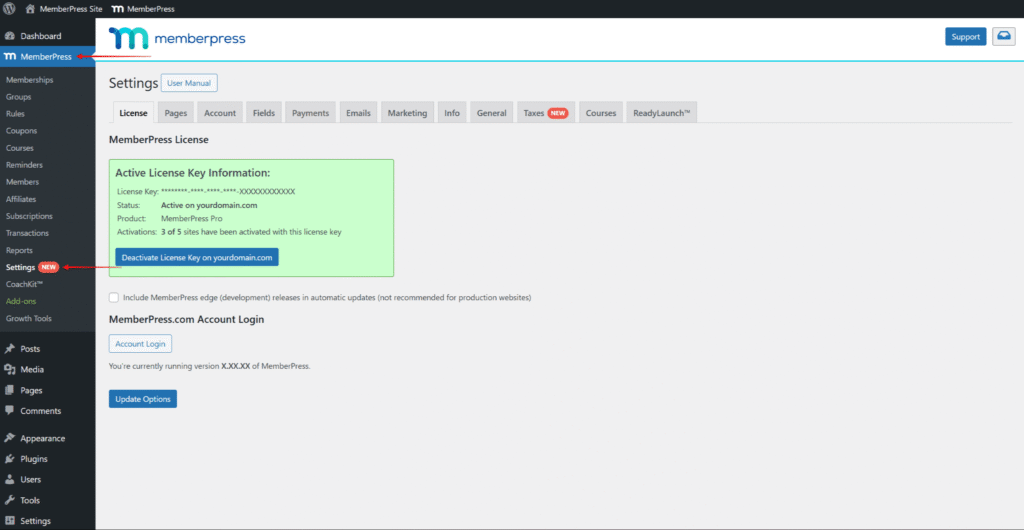
Bottom line: if you already run WordPress and want to stop paying a SaaS company a cut of revenue you generated, start here.
13. Ghost
Best for: developers who want full source control
Ghost is open source, which means the self-hosted version is genuinely free beyond your own server costs, and you can read or modify every line of the code your membership runs on. Ghost(Pro), their managed hosting option, exists if you’d rather skip the ops work while keeping the same underlying platform. It’s writing-first in the same way Substack is, just with far more control over design and data.
Bottom line: the most control of anything on this list, at the cost of being the most hands-on to run.
Simple Creator Monetization
14. Patreon
Best for: launching paid tiers without building a site
Patreon isn’t trying to be a membership platform in the same sense as anything else on this list — there’s no course builder, no content library structure, just tiered access to whatever you post. The trade-off for that simplicity is a genuine revenue cut and less control over the actual member experience.
Bottom line: the right call if you want to test whether people will pay before you build anything more permanent.
15. Substack
Best for: when the membership is a paid newsletter
If what you’re actually selling is your writing on a regular cadence, Substack strips away everything else — no course builder, no community spaces, no page builder to fight with. Just a paid subscription tier layered on top of a newsletter you’d likely be writing anyway.
Bottom line: don’t build a course platform for a paid newsletter — this is the honest, cheaper answer.
FAQ: Choosing a Membership Site Platform
What’s the best membership platform for beginners?
What’s the best membership platform for building a community?
Can I run a membership site on WordPress?
Which membership platforms don’t charge transaction fees?
Is Patreon a membership platform?
How much does a membership platform typically cost?
The Bottom Line
No single platform on this list does everything well, and anyone telling you otherwise is selling one of them. The question that actually matters is what you’re building — a community, a course, a content library, or just a paid newsletter — because that answer eliminates ten of these fifteen before pricing even enters the conversation. And whichever one you pick, test your data migration path on a small batch before you trust it with your real list. I learned that one the expensive way so you don’t have to.