
Last Updated on January 10, 2026 by Triumphoid Team
“Best free workflow tool” is really three questions in a trench coat:
- What’s your tolerance for tool friction (setup, maintenance, “please upgrade to add one more teammate”)? 😅
- What’s your workflow shape (tasks, data, approvals, or delivery)?
- Where does work break (handoffs, visibility, accountability, speed)?
However, free workflow tools are rarely “free”.
They’re prepaid with your future time: missing audit logs, weak permissions, tiny automation quotas, and the classic “we’ll just run this in a spreadsheet” relapse.
So here’s the sane way to choose: pick a tool based on the shape of your workflow, not a feature checklist.
If your work is mostly…
- Tasks moving through states → you want boards
- Work tied to structured data → you want a database
- Engineering delivery → you want issues + branching + releases
- Cross-app handoffs → you want automation (OAuth, API endpoints, JSON payloads, retries)
Below are the best free options that don’t immediately collapse when you try to run real ops.
What “workflow management” actually means?
(so you pick the right class of tool)
A workflow tool is one of these (most tools cosplay as all of them, but only excel at one):
Task flow (state machine): work moves through stages. Think Kanban: Backlog → Doing → Review → Done.
Structured process (data + rules): work items have fields and metadata and must follow rules. Think database-ish workflows.
Delivery system (engineering/project): issues, sprints, releases, dependencies, incidents.
Knowledge + SOP system: docs, checklists, templates, playbooks.
Automation layer: triggers + actions across apps. The glue that removes manual labor.
If you choose the wrong class, you’ll feel it fast:
- You picked a board, but you needed a database (everything becomes a “card with a novel inside”).
- You picked docs, but you needed enforcement (your “workflow” becomes a wiki nobody follows).
- You picked a heavy PM suite, but you needed lightweight throughput (you drown in admin).
Quick decision tree (pick your tool in 90 seconds)
- If your biggest pain is “I can’t see what’s happening” → start with a Kanban board.
- If your biggest pain is “we need consistent data + intake + reporting” → start with a database-style tool.
- If your biggest pain is “engineering delivery / bugs / releases are chaos” → start with issue tracking.
- If your biggest pain is “handoffs between tools waste time” → add an automation layer (even if your workflow tool is basic).
- If your biggest pain is “compliance / internal-only / data ownership” → pick self-hosted.
The best free workflow tools
By category + when they’re the right weapon.
1. Best free Kanban workflow tools
Fastest path to “less chaos”.
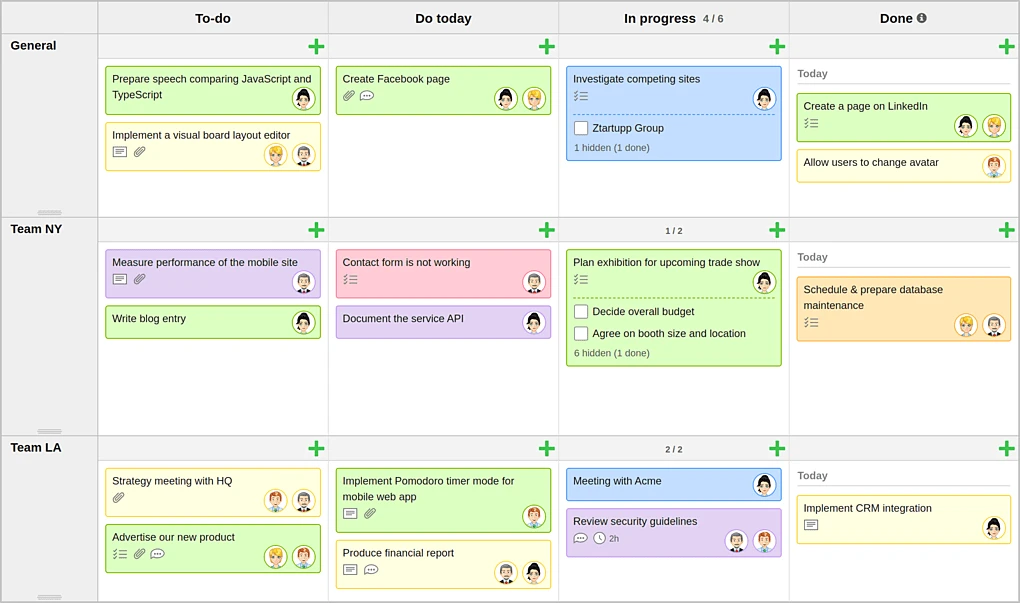
Trello
Best for: simple pipelines, content workflows, small teams that need visibility today.
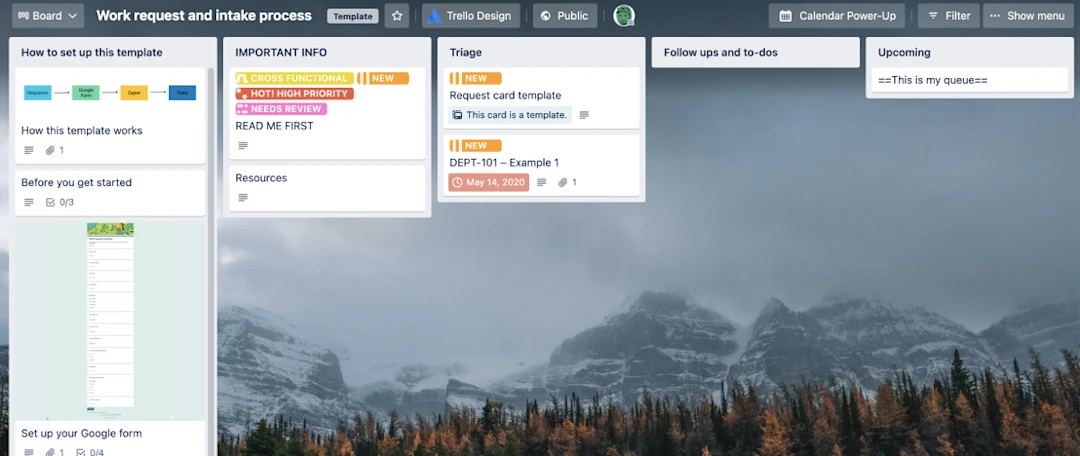
Why it wins: zero onboarding pain; board = workflow.
Where it cracks: permissions, reporting, dependency management, “real approvals.” Trello is a great hallway whiteboard. It’s not an operating system.
Asana (free tier)
Best for: solo + tiny teams who want tasks with structure (not just cards).
Why it wins: task relationships, better list views, less “everything is a sticky note.”
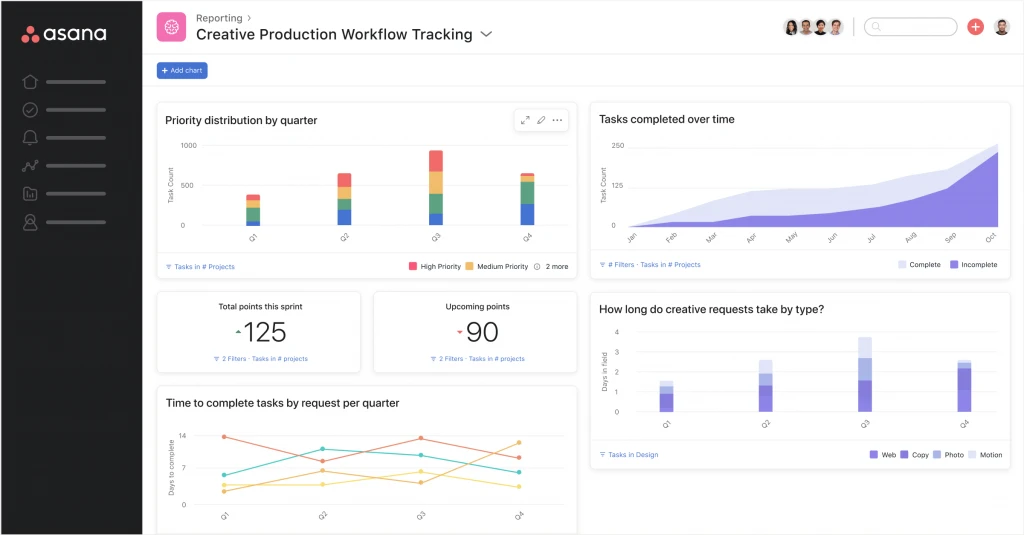
Where it cracks: anything requiring serious governance, complex portfolios, heavier reporting, or larger teams.
ClickUp (free tier)
Best for: people who want “one tool to rule them all” on a budget.
Why it wins: it tries to be tasks + docs + dashboards in one place.
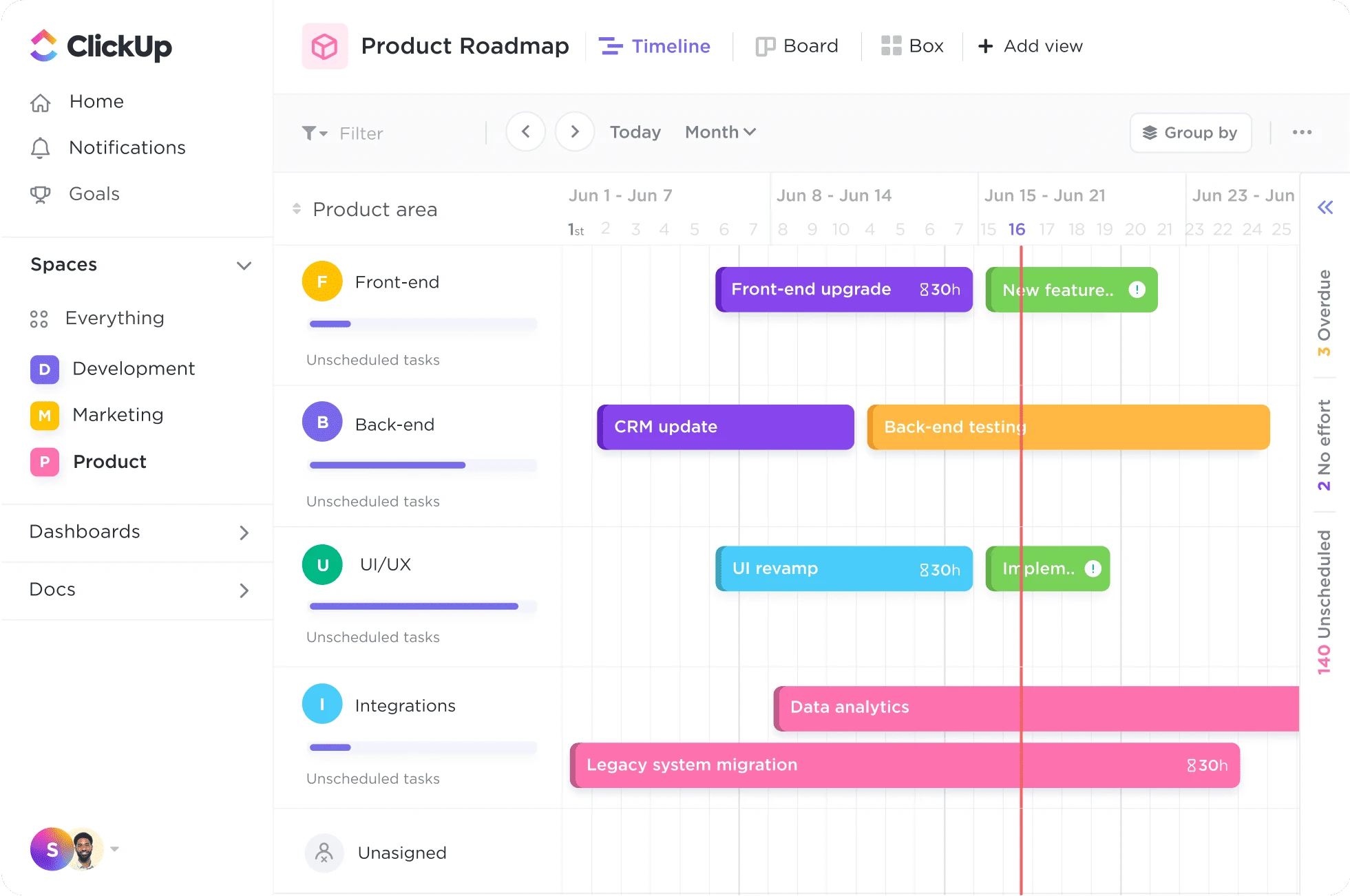
Where it cracks: complexity creep. ClickUp can turn into a second job if you over-configure it. (Common failure: you build a cathedral, then nobody walks into it.)
MeisterTask / similar lightweight Kanban tools
Best for: teams who want simple boards with a bit more structure than Trello, less bulk than enterprise suites.
Where they crack: deep reporting and cross-team governance.
My opinion: if you’re starting from workflow zero, pick Trello or Asana, get traction, then upgrade only when you can name the exact pain (“we need approvals + audit + roles,” not “we need a better tool”).
2. Best free “database workflow” tools (when tasks need fields, not essays)
This is for workflows like:
- content inventory (keywords, brief status, author, publish date, internal links)
- lead intake (company size, priority, source, stage)
- ops requests (category, SLA, owner, severity, root cause, resolution)
- vendor onboarding (documents, approvals, dates, risk level)
Notion
Best for: knowledge base + lightweight workflow + editorial systems.
Why it wins: templates + docs + databases in one workspace.
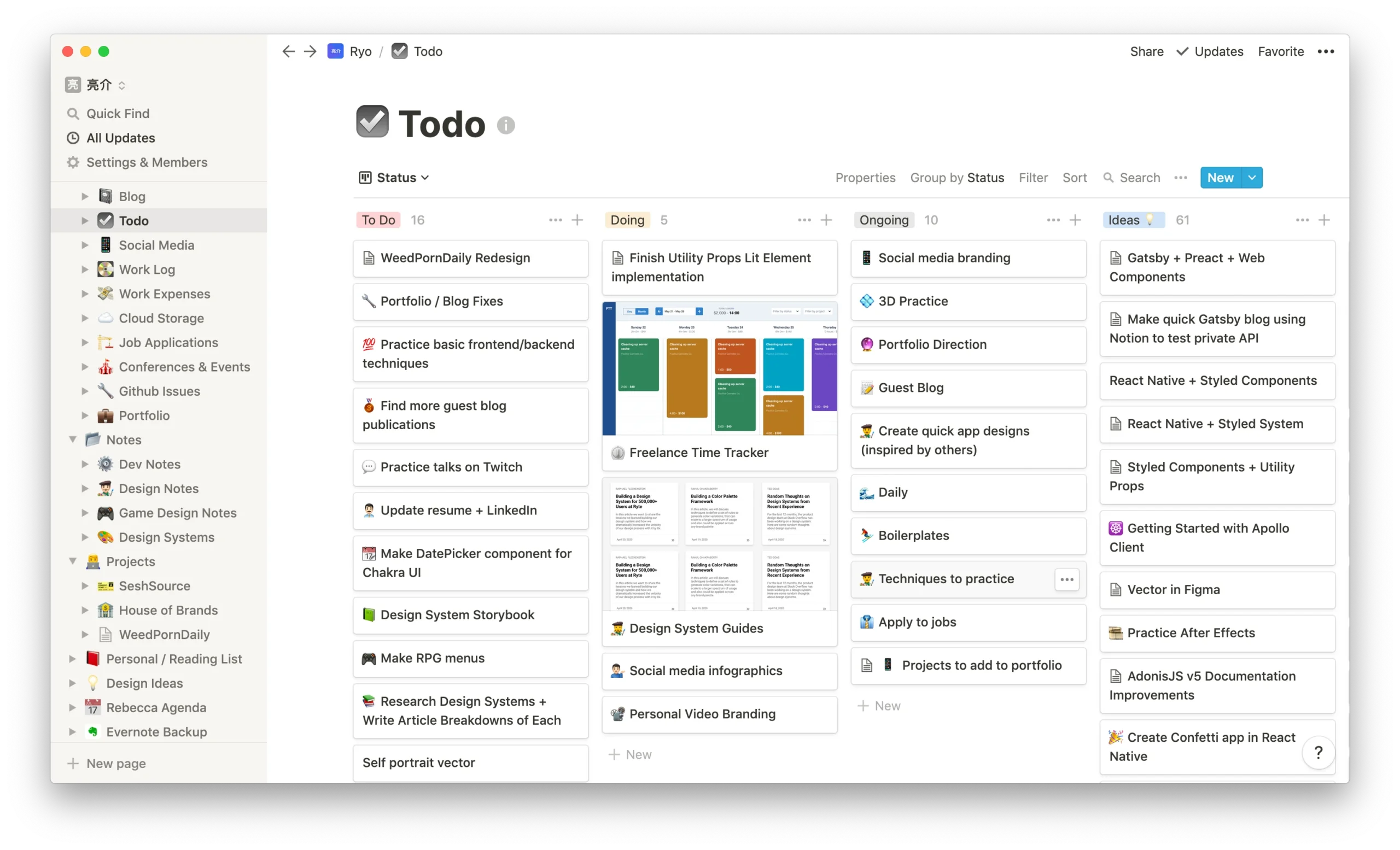
Where it cracks: strict enforcement, complex permissions, true auditability, heavy automation. Notion is “organized intelligence,” not “process enforcement.”
Airtable-style tools (table-first workflow)
Best for: workflows that are really structured data with views (Kanban, calendar, gallery) layered on top.
Why it wins: real fields, real filters, real reporting potential.
Where it cracks: free tiers often have ceilings (records, automations, API usage). Great for building your workflow model; not always free forever.
Obsidian (with plugins) / local-first systems
Best for: solo operators who want a private workflow brain (notes + tasks) without SaaS dependency.
Where it cracks: team collaboration and permissioning.
My opinion: if you’re doing B2B ops, content ops, or anything that smells like “intake + status + reporting,” a database workflow is usually the grown-up choice. Boards alone get messy because they don’t force structure.
3. Best free engineering / delivery workflow tools
It’s for when work has dependencies + releases matter.
Jira (free tier)
Best for: software teams who need issue tracking, sprinting, workflow rules, and a common language for delivery.
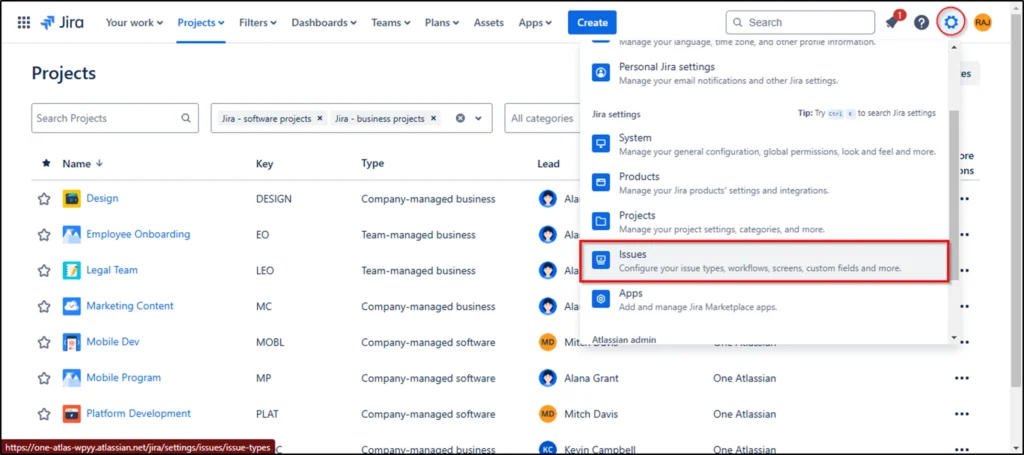
Where it cracks: automation volume, admin overhead, “Jira becomes the work instead of tracking the work” if you over-customize.
GitHub Issues + Projects
Best for: teams already living in GitHub; simple delivery workflow tied to code.
Why it wins: less context-switching; PRs + issues + project views in one place.
Where it cracks: non-dev teams, heavy operational workflows, complex approvals.
GitLab (community/self-host options exist depending on setup)
Best for: integrated dev lifecycle with control.
Where it cracks: hosting/maintenance if self-managed, complexity.
My opinion: if it’s engineering delivery, don’t force Trello to cosplay as Jira. You’ll just reinvent Jira badly.
4. Best free self-hosted workflow tools (when data ownership matters)
If you want “free” plus control, self-hosted is the trade:
- you pay with maintenance instead of money 💀
OpenProject (community/self-host)
Best for: classic project management with control: tasks, timelines, roles, docs, governance.
Where it cracks: someone must own uptime, updates, backups, and “why is email not sending?”
Taiga (open-source, self-host)
Best for: agile boards without SaaS lock-in.
Where it cracks: similar story—infra responsibility.
Redmine (old-school but still used)
Best for: “we need a no-nonsense ticketing/workflow system and we don’t care if it’s ugly.”
Where it cracks: UI modernity, out-of-the-box ease.
My opinion: self-hosted is worth it when you have a real reason (compliance, internal-only, vendor risk), not just because you hate subscriptions.
5. Best free automation layers (the efficiency cheat code)
This is how you stop losing hours to copy/paste and “hey can you update the status?”
n8n (good for technical teams)
Best for: automating across apps; building internal workflows; integrating via APIs.
Strength: you can build real logic, retries, branching, and connect to anything with an API.
Where it cracks: you need someone comfortable with “workflow logic” and sometimes JSON payloads.
Make / Zapier alternatives (varies by free tier)
Best for: quick automation without code.
Where it cracks: quotas and scaling costs. The “free tier” is usually a demo, not a lifestyle.
My opinion: the highest ROI workflow stack is often a simple workflow tool + an automation layer. That combo beats “one mega-suite” for many teams, because you can keep the system lean and only automate what actually hurts.
which tool wins by workflow intent?
| intent / real need | Best starting tool type | Solid free picks | Why it fits |
|---|---|---|---|
| “I just need a board so we stop forgetting stuff” | Kanban | Trello, MeisterTask | Visibility first, minimal friction |
| “I need tasks + ownership + due dates, not sticky notes” | Task manager | Asana, ClickUp | Better structure than cards |
| “We need content workflow + SOPs + briefs” | Docs + database | Notion | Templates + editorial system in one |
| “We need intake forms + fields + reporting” | Database workflow | Airtable-style tools, Notion DB | Structured data beats chaos |
| “We ship software and need sprints/releases” | Issue tracking | Jira, GitHub Projects | Native delivery primitives |
| “We need approvals/audit/roles” | Governance-heavy PM | Jira (configured), OpenProject self-host | Stronger control model |
| “We need automation between tools” | Automation layer | n8n (technical), lightweight no-code | Removes manual handoffs |
| “We need internal-only/self-hosted” | Self-host suite | OpenProject, Taiga, Redmine | Control + ownership |
aspects that actually affect efficiency (not marketing features)
| Aspect | Why you care? | What “good” looks like? | Tools that typically do well? |
|---|---|---|---|
| Onboarding speed | If adoption fails, everything fails | New user productive in 10 minutes | Trello, Asana |
| Workflow enforcement | Prevents “we forgot the step” | Required fields, statuses, rules | Jira, database tools |
| Single source of truth | Stops “where is the latest version?” | One system owns the process | Notion (docs), Airtable-style tools (data), Jira (delivery) |
| Permissions & roles | Prevents accidental chaos | Role-based access, approvals | Jira, OpenProject |
| Reporting | Turns workflow into management | Bottlenecks, cycle time, WIP | Jira, Airtable-style tools |
| Automation | Removes manual labor | Triggers, retries, idempotent logic | n8n + API-friendly stack |
| Integrations | Workflow must touch your ecosystem | OAuth + connectors or webhooks | Jira/GitHub/automation tools |
| Scalability | Free today, useful tomorrow | Doesn’t collapse when volume grows | Jira/GitHub/OpenProject (depending) |
| Mobile usability | Real work happens outside desks | Usable, not painful | Trello/Asana often fine |
| Offline/local-first | When SaaS dependency is a risk | Local vaults, sync control | Obsidian-ish systems |
Recommended Free stacks by common real-world workflows

Content workflow stack (blog, SEO, editorial)
Goal: briefs → drafts → edits → publish → internal linking → refresh cycles
Lean stack:
- Notion for briefs + SOPs + editorial calendar
- Trello/Asana for pipeline visibility (optional)
- Automation layer to: create tasks when a brief is created; notify editor on status changes; push publish dates to calendar
If you’re serious about SEO ops, add structure:
- database fields: target keyword, intent, SERP type, primary internal links, update cycle, schema type, “P0/P1 priority”
Client delivery / agency workflow stack
Goal: intake → proposal → kickoff → tasks → approvals → invoicing → closeout
Lean stack:
- Asana/ClickUp for project execution
- Notion for client hub + SOPs + meeting notes
- Automation for: creating client folders, onboarding tasks, status emails, invoice reminders
Critical efficiency move: define “done” with checklists. Otherwise, your workflow becomes “someone said it’s done.”
Ops tickets / internal requests
Goal: consistent intake, prioritization, SLA-ish handling
Better stack:
- Database workflow tool (intake form + required fields)
- Views for: by owner, by priority, by SLA date
- Automation for: routing requests, escalating overdue items, logging updates
Boards alone fail here because tickets need metadata (category, severity, requester, system, root cause).
Engineering + product delivery
Goal: backlog → sprint → release → incidents
Stack:
- Jira or GitHub Projects
- Automation for: linking PRs to issues, release notes, incident notifications
Keep it boring. Boring ships product.
Solo operator / founder workflow
Goal: do the important things, not build a second brain that eats your life
Stack:
- Asana (tasks) or Notion (docs + light tasks)
- One weekly review ritual
- Minimal automation
The most efficient tool is the one you actually open.
The “free tier trap” and how to avoid it
Free tiers usually hurt you in predictable places:
- seat limits (you can’t add the people who actually do the work)
- automation quotas (your handoffs stay manual)
- permissions/roles (you can’t lock down a process)
- audit logs / history (you can’t answer “who changed this?”)
- reporting (you can’t see bottlenecks, so you “manage by vibes”)
How to avoid the trap:
- Start free, but design the workflow like it might scale
- Put your process logic in the workflow (statuses, definitions, checklists)
- Add automation only where it saves real time (handoffs + notifications + intake)
- Don’t migrate until you can name the exact constraint in one sentence
Templates: steal these workflows
(and you’ll be ahead of 90% of teams)

Universal statuses (works for content, ops, delivery)
- Backlog (unprioritized)
- Ready (prioritized, unblocked)
- In progress
- Review
- Blocked (with reason field)
- Done
- Archived (closed, searchable)
Add two required fields if you want instant clarity:
- Owner
- Definition of Done (checkboxes)
“Blocked” reason taxonomy (stops silent stagnation)
- Waiting on approval
- Waiting on info
- Waiting on dependency
- Waiting on external vendor
- Scope unclear
- Technical limitation
- Priority changed
This is how you turn “we’re stuck” into fixable categories.
My blunt top picks (if you don’t want analysis paralysis)
If you want the fastest improvement with minimal brain damage:
- Trello if you need visibility today 🧩
- Asana if you want better task structure without enterprise overhead 🧠
- Notion if you need workflows + SOPs + briefs in one workspace 📚
- Jira if your workflow is engineering delivery and you need process enforcement 🔧
- OpenProject/Taiga if you need self-hosted control and accept the maintenance tax 🧱
- n8n if you want automation that doesn’t punish you for scaling ⚙️